Weniger Code, mehr Tempo:
Wie SAP Build & Co. den Mittelstand bei der Digitalisierung unterstützen


Sebastian Pfuhl
Junior Developer
<style>
/* Webflow Blog Styles */
:root {
--content-max-width: 1500px;
--bg-color: #ffffff;
--font-sans: Inter, sans-serif;
--font-display: 'Mona Sans', sans-serif;
--font-sans-stretch: normal;
--font-display-stretch: normal;
}
.blog-content {
font-family: var(--font-sans);
font-stretch: var(--font-sans-stretch);
color: #000000;
line-height: 1.2;
}
figcaption, .video-caption {
font-family: 'Mona Sans', sans-serif;
font-stretch: normal;
font-size: 0.875rem;
font-weight: 500;
font-style: normal;
color: #000000;
line-height: 1.5;
letter-spacing: 0;
margin: 0.5rem 0 0 0;
text-align: center;
}
/* Image Widths and Galleries */
.offset-block {
padding-left: 50px;
}
.blog-content h1, .blog-content h2, .blog-content h3, .blog-content h4, .blog-content h5, .blog-content h6 {
font-family: var(--font-display);
font-stretch: var(--font-display-stretch);
}
.blog-content p a, .blog-content li a, .blog-content .text-link {
color: #f0567f;
text-decoration: underline;
font-weight: 500;
transition: color 0.2s ease;
}
.blog-content p a:hover, .blog-content li a:hover, .blog-content .text-link:hover {
color: #f0567f;
}
.blog-content h1 {
font-family: 'Mona Sans Expanded', sans-serif;
font-stretch: 125%;
font-size: 48px;
line-height: 1.2;
margin: 0 0 1rem 0;
color: #000000;
font-weight: 700;
letter-spacing: 0;
}
.blog-content h2 {
font-family: 'Mona Sans Expanded', sans-serif;
font-stretch: 125%;
font-size: 36px;
line-height: 1.2;
margin: 0 0 0.75rem 0;
color: #000000;
font-weight: 500;
letter-spacing: 0;
}
.blog-content h3 {
font-family: 'Mona Sans', sans-serif;
font-stretch: normal;
font-size: 26px;
line-height: 1.2;
margin: 0 0 0.5rem 0;
color: #000000;
font-weight: 700;
letter-spacing: 0;
}
.blog-content h4 {
font-family: 'Mona Sans', sans-serif;
font-stretch: normal;
font-size: 23px;
line-height: 1.1;
margin: 0 0 0.75rem 0;
color: #000000;
font-weight: 700;
letter-spacing: 0;
}
.blog-content h5 {
font-family: 'Mona Sans', sans-serif;
font-stretch: normal;
font-size: 23px;
line-height: 1.1;
margin: 0 0 0.75rem 0;
color: #000000;
font-weight: 700;
letter-spacing: 0;
}
.blog-content h6 {
font-family: 'Mona Sans', sans-serif;
font-stretch: normal;
font-size: 20px;
line-height: 1.2;
margin: 0 0 0.75rem 0;
color: #000000;
font-weight: 700;
letter-spacing: 0;
}
.blog-content .kpi-text {
font-family: 'Mona Sans', sans-serif;
font-stretch: normal;
font-size: 2.125rem;
line-height: 1.2;
margin: 0 0 1rem 0;
color: #000000;
font-weight: 700;
text-align: center;
}
.blog-content p {
font-family: 'Mona Sans', sans-serif;
font-stretch: normal;
font-size: 20px;
margin: 0 0 1rem 0;
line-height: 1.2;
color: #000000;
font-weight: 500;
}
.blog-content .text-bodyBold {
font-family: 'Mona Sans', sans-serif;
font-stretch: normal;
font-size: 20px;
margin: 0 0 1rem 0;
line-height: 1.2;
color: #000000;
font-weight: 700;
}
.blog-content ul {
font-family: 'Mona Sans', sans-serif;
font-stretch: normal;
font-size: 20px;
margin: 0 0 1rem 0;
line-height: 1.2;
color: #000000;
font-weight: 500;
}
.blog-content p a, .blog-content li a, .blog-content h1 a, .blog-content h2 a, .blog-content h3 a, .blog-content h4 a {
color: #f0567f;
text-decoration: underline;
font-weight: 500;
transition: all 0.2s ease-in-out;
}
.blog-content p a:hover, .blog-content li a:hover, .blog-content h1 a:hover, .blog-content h2 a:hover, .blog-content h3 a:hover, .blog-content h4 a:hover {
color: #f0567f;
}
.blog-content blockquote {
font-family: 'Mona Sans', sans-serif;
font-stretch: normal;
font-size: 22px;
font-style: italic;
font-weight: 400;
border-left: 0px solid #0066cc;
background-color: #f2f5f8;
padding: 0px;
margin: 1.5rem 0;
color: #000000;
}
.blog-content q {
font-family: 'Mona Sans', sans-serif;
font-stretch: normal;
font-size: 20px;
font-style: italic;
font-weight: 400;
border-left: 0px solid #94a3b8;
background-color: #f2f5f8;
padding: 0px;
quotes: "«" "»" "‹" "›";
color: #000000;
}
.custom-container {
max-width: var(--content-max-width);
margin: 0 auto;
padding: 60px 60px 70px 70px;
}
.custom-button:hover {
background-color: #fdc300 !important;
color: #000000 !important;
transform: scale(1.03) !important;
}
.faq-item {
border: 1px solid #e0e0e0;
border-radius: 8px;
padding: 15px;
margin-bottom: 1rem;
}
.faq-question {
font-weight: bold;
color: #1a1a1a;
margin-bottom: 0.5rem;
}
.faq-answer {
color: #333333;
}
.box-style-standard {
background-color: #ffffff;
border: 1px solid #e5e7eb;
border-radius: 8px;
padding: 20px;
color: #333333;
margin: 1.5rem 0;
}
.box-style-info {
background-color: #eff6ff;
border: 1px solid #3b82f6;
border-radius: 8px;
padding: 20px;
color: #1e40af;
margin: 1.5rem 0;
}
.box-style-warning {
background-color: #fffbeb;
border: 1px solid #f59e0b;
border-radius: 8px;
padding: 20px;
color: #92400e;
margin: 1.5rem 0;
}
@media (max-width: 991px) {
.offset-block { padding-left: 20px; }
.blog-content h1 { font-size: 44px; }
.blog-content h2 { font-size: 34px; }
.blog-content h3 { font-size: 24px; }
.blog-content h4 { font-size: 22px; }
.blog-content h5 { font-size: 22px; }
.blog-content h6 { font-size: 19px; }
.blog-content p { font-size: 18px; }
.blog-content .text-bodyBold { font-size: 18px; }
.blog-content ul { font-size: 19px; }
.blog-content .kpi-text { font-size: 1.8rem; }
.blog-content blockquote { font-size: 21px; }
.blog-content q { font-size: 19px; }
figcaption, .video-caption { font-size: 0.875rem; }
.custom-container { padding: 40px 40px 40px 40px; }
}
@media (max-width: 767px) {
.offset-block { padding-left: 15px; }
.blog-content h1 { font-size: 38px; }
.blog-content h2 { font-size: 28px; }
.blog-content h3 { font-size: 22px; }
.blog-content h4 { font-size: 21px; }
.blog-content h5 { font-size: 21px; }
.blog-content h6 { font-size: 18px; }
.blog-content p { font-size: 16px; }
.blog-content .text-bodyBold { font-size: 16px; }
.blog-content ul { font-size: 18px; }
.blog-content .kpi-text { font-size: 1.5rem; }
.blog-content blockquote { font-size: 20px; }
.blog-content q { font-size: 18px; }
figcaption, .video-caption { font-size: 0.875rem; }
.custom-container { padding: 15px 15px 15px 15px; }
}
/* Blog Lightbox */
.blog-lightbox-trigger { text-decoration: none !important; }
.blog-lightbox-trigger img { transition: opacity 0.2s ease; }
.blog-lightbox-trigger:hover img { opacity: 0.85; }
.blog-lightbox-overlay {
position: fixed; top: 0; left: 0; width: 100%; height: 100%;
background: rgba(0,0,0,0.85); z-index: 99999; display: flex;
align-items: center; justify-content: center; cursor: zoom-out;
animation: blogLbFadeIn 0.2s ease;
}
.blog-lightbox-overlay img {
max-width: 90vw; max-height: 90vh; border-radius: 8px;
box-shadow: 0 20px 60px rgba(0,0,0,0.5); object-fit: contain;
}
@keyframes blogLbFadeIn { from { opacity: 0; } to { opacity: 1; } }
</style>
<div class="blog-content">
<section style="background-color: #f2f5f8; width: 100%; margin-top: 0px; margin-bottom: 20px;">
<div class="custom-container" style="background-color: transparent;">
<div class="offset-block">
<p style="text-align: left;">Digitalisierte Prozesse sind heute Basics, der Weg dorthin ist aber vor allem für den Mittelstand teils steinig. Ein hilfreiches Tool können Low-Code- oder auch No-Code-Plattformen sein, denn sie helfen Unternehmen, ihre Prozesse schneller, kostengünstiger und agiler zu digitalisieren. Was SAP Build dabei als ein Kernprodukt leisten kann, haben wir uns in der Praxis genau angesehen und mit Innovabee-Kunden getestet.</p>
<p style="text-align: left;">Die Entwicklungsplattform SAP Build besteht aus den drei Haupt-Bausteinen</p>
<ul style="padding-left: 1.5rem; list-style-type: disc;">
<li style="margin-bottom: 0.5rem;"><strong>SAP Build Apps</strong> (für die Low-Code/No-Code-App-Entwicklung),</li>
<li style="margin-bottom: 0.5rem;"><strong>SAP Build Process Automation</strong> (für Workflow- und Prozessautomatisierung ohne tiefes Programmierwissen) und</li>
<li style="margin-bottom: 0.5rem;"><strong>SAP Build Work Zone</strong> (für die Erstellung digitaler Arbeitsbereiche und Dashboards)</li>
</ul>
<p style="text-align: left;">Mit Hilfe von SAP Build Apps können Unternehmen bzw. Anwender und Entwickler im Low-Code- und No-Code-Umfeld zügig und flexibel einfache Anwendungen erstellen und ausgewählte Geschäftsprozesse automatisieren – wie zum Beispiel eine Materialanlage oder ‑änderung oder das Erstellen eines Urlaubsantrags. Das macht SAP Build besonders für den Mittelstand attraktiv, der so ohne große eigene IT-Teams oder lange und zeitintensive Entwicklungszyklen viele seiner Geschäftsprozesse digitalisieren kann.</p>
</div>
</div>
</section>
<section style="background-color: #f2f5f8; width: 100%; margin-top: 0px; margin-bottom: 20px;">
<div class="custom-container" style="background-color: transparent;">
<div class="offset-block">
<h2 style="text-align: left;">Warum Citizen Developer so wertvoll sein können</h2>
<p style="text-align: left;">Der Fokus des SAP-Angebots liegt dabei hauptsächlich auf Business-Anwendern, den so genannten Citizen Developer. Der Hintergedanke dabei: So sollen auch Fachabteilungen befähigt werden, in Eigenregie Lösungen zu entwickeln, schließlich kennen sie ihre Anforderungen und auch Pain Points am besten. Das Ziel: Die Abhängigkeit von IT-Experten reduzieren und Innovationszyklen verkürzen – gerade im Mittelstand, wo IT-Ressourcen wie gesagt oftmals begrenzt sind, kann dieser Ansatz langfristig sehr wertvoll sein.</p>
</div>
</div>
</section>
<section style="background-color: #f2f5f8; width: 100%; margin-top: 0px; margin-bottom: 20px;">
<div class="custom-container" style="background-color: transparent;">
<div class="offset-block">
<h2 style="text-align: left;">Process Automation mit Low-Code-Bausteinen umsetzen</h2>
<p style="text-align: left;">Das Offering SAP Build Process Automation bietet Nutzern „Bausteine“, mit deren Hilfe auch Nicht-Entwickler unter anderem Formulare entwickeln oder API-Aufrufe starten können – ohne einen Gedanken daran, wie der Code dahinter aussehen mag. Bei „professionellerem“ Bedarf lässt sich allerdings auch ein so genannter Skript-Baustein nutzen und dort dann tatsächlich Programmier-Code reinschreiben. Dank visueller Drag-and-Drop-Tools und vorkonfigurierter Inhalte kommt die Prozessautomatisierung so im Vergleich zu früher mit großen Schritten voran.</p>
</div>
<figure style="text-align: center; margin: 1.5rem 0;"><a href="https://cdn.prod.website-files.com/68ffbb1d2a6455e8202f8d3e/69d4946c0c7dfef2adae5a02_SAP-Build-Process-Automation-1.png" class="blog-lightbox-trigger" onclick="event.preventDefault();var o=document.createElement('div');o.className='blog-lightbox-overlay';o.innerHTML='<img src="https://cdn.prod.website-files.com/68ffbb1d2a6455e8202f8d3e/69d4946c0c7dfef2adae5a02_SAP-Build-Process-Automation-1.png" alt="">';o.onclick=function(){this.remove()};document.body.appendChild(o)" style="display: block; cursor: zoom-in;"><img src="https://cdn.prod.website-files.com/68ffbb1d2a6455e8202f8d3e/69d4946c0c7dfef2adae5a02_SAP-Build-Process-Automation-1.png" alt="<p style="text-align: center;"><em>Wenn das Bausteinprinzip bei der App-Entwicklung oder Workflow-Erstellung hilft: Low-Code-Anwender profitieren immens von der nutzerfreundlichen Arbeitsoberfläche. <br>(Quelle: Auszug aus internem Materialanlage-Workflow von Innovabee)</em></p>" class="blog-img-e7c2ffbf-7990-4ec3-aec7-7c03fd3ae04f" style="max-width: 100%; width: 100%; height: auto; border-radius: 8px; display: block; margin: 0 auto;"></a><figcaption><p style="text-align: center;"><em>Wenn das Bausteinprinzip bei der App-Entwicklung oder Workflow-Erstellung hilft: Low-Code-Anwender profitieren immens von der nutzerfreundlichen Arbeitsoberfläche. <br>(Quelle: Auszug aus internem Materialanlage-Workflow von Innovabee)</em></p></figcaption></figure>
</div>
</section>
<section style="background-color: #f2f5f8; width: 100%; margin-top: 0px; margin-bottom: 20px;">
<div class="custom-container" style="background-color: transparent;">
<div class="offset-block">
<h2 style="text-align: left;">Low-Code bringt Struktur in Signavio-Prozess</h2>
<p style="text-align: left;">Einer unserer Kunden hatte in SAP Signavio einen existierenden Vorgang für die Materialanlage, der so nicht mehr zeitgemäß und auch nicht detailliert genug war. Die Mitarbeitenden wünschten sich beispielsweise eine proaktive Rückmeldung, wenn ein Material – egal, ob Rohware, Halbware oder Fertigware, neu angelegt wurde – und welche Ausprägung bzw. Folgeaufgaben es für alle weiteren Unternehmensbereiche wie Einkauf, Logistik, Gefahrstoff oder auch Buchhaltung nach sich zog. Dasselbe galt für das Thema Verpackungswaren und die Materialart der Verpackung.</p>
<p style="text-align: left;">Dank Low-Code ließ sich für jeden involvierten Bereich ein Formular anlegen mit den jeweiligen Aufgaben – z. B. hatte die Logistik die To-Do’s „Sichten der Werksdaten im System“ und „Ausprägung der Lagerverwaltung“–, und erst wenn diese Aufgaben in den dafür vorgesehenen Checkboxen erledigt und abgehakt waren, konnte das Formular abgesendet werden und der nächste Bereich seine Aufgaben angehen. Die Benachrichtigung dazu erfolgte per E‑Mail. Diese neue strukturierte Vorgehensweise für die Materialanlage war so erfolgreich, dass schon nach kurzer Zeit ein zweiter Workflow zum Thema Materialänderung ins Leben umgesetzt wurde.</p>
</div>
</div>
</section>
<section style="background-color: #f2f5f8; width: 100%; margin-top: 0px; margin-bottom: 20px;">
<div class="custom-container" style="background-color: transparent;">
<div class="offset-block">
<h2 style="text-align: left;">Cloud & Künstliche Intelligenz (KI): Low-Code ist tief integriert im SAP-Ökosystem</h2>
<p style="text-align: left;">Dass sich der Einsatz auf vielfältige Weise lohnt, dafür steht auch die tiefe Integration der SAP-Low-Code-Lösungen in die neue SAP Business Suite und ihre bestehenden Systeme wie SAP Cloud ERP (ehemals SAP S/4HANA), die SAP Business Technology Platform (BTP) oder auch SAP SuccessFactors. Was uns gleich zum nächsten Vorteil bringt: Mittelständische Unternehmen können so ihre bestehenden Investitionen schützen und dennoch flexibel Innovationen einführen.</p>
<p style="text-align: left;">Ein weiterer Pluspunkt: SAP Low-Code ist natürlich cloud-fähig und befähigt den Mittelstand damit weiter, schnell skalierbare und cloud-basierte Lösungen zu bauen – ohne weitere große Vorabinvestitionen. Passend zum Dreigestirn SAP Business Suite, SAP BTP und SAP BDC ergänzt SAP sein Low-Code-Portfolio natürlich auch mit KI, etwa durch Joule, den digitalen Assistenten, und Prozessautomatisierung: Allesamt signifikante Enabler für den Mittelstand, der so Zugang zu modernen Technologien erhält.</p>
</div>
</div>
</section>
<section style="background-color: #f2f5f8; width: 100%; margin-top: 0px; margin-bottom: 20px;">
<div class="custom-container" style="background-color: transparent;">
<div class="offset-block">
<h2 style="text-align: left;">Wie KI und Low-Code Hand in Hand gehen<br></h2>
<p style="text-align: left;">Ein konkretes Beispiel dazu, da das SAP-Build-Tool Process Automation mittlerweile KI-Unterstützung bietet: Kommen Zusatzanforderungen für einen Workflow auf – etwa lange, komplexe Prozesse wie zum Beispiel eine Materialanlage und ‑änderung, die bis zu 15 verschiedene Bereiche durchlaufen kann, wobei jeder Bereich anders gehandhabt werden muss –, dann unterstützt die KI mittels vordefinierter Use Cases. Sprich, man teilt dem KI-Tool per Text mit, wo die Zusatzanforderungen benötigt werden und sie verbindet dann die notwendigen Bausteine an den richtigen Stellen – ohne weiteren Aufwand für die Nutzer, der natürlich noch einmal kontrollieren sollte, ob alles passt.</p>
</div>
<figure style="text-align: center; margin: 1.5rem 0;"><a href="https://cdn.prod.website-files.com/68ffbb1d2a6455e8202f8d3e/69d4946d34360118fc6b4aec_SAP-Build-Process-Automation-2.png" class="blog-lightbox-trigger" onclick="event.preventDefault();var o=document.createElement('div');o.className='blog-lightbox-overlay';o.innerHTML='<img src="https://cdn.prod.website-files.com/68ffbb1d2a6455e8202f8d3e/69d4946d34360118fc6b4aec_SAP-Build-Process-Automation-2.png" alt="">';o.onclick=function(){this.remove()};document.body.appendChild(o)" style="display: block; cursor: zoom-in;"><img src="https://cdn.prod.website-files.com/68ffbb1d2a6455e8202f8d3e/69d4946d34360118fc6b4aec_SAP-Build-Process-Automation-2.png" alt="<em>KI, dein fleißigster Kollege: Auch im Low-Code-Umfeld hilft KI-Anwendern mittlerweile, ihre Aufgaben schneller und effizienter auszuführen. <br>(Quelle: Auszug aus internem Materialanlage-Workflow von Innovabee)</em>" class="blog-img-752c2944-abd6-4615-8bb6-6f5ff681e67b" style="max-width: 100%; width: 100%; height: auto; border-radius: 8px; display: block; margin: 0 auto;"></a><figcaption><em>KI, dein fleißigster Kollege: Auch im Low-Code-Umfeld hilft KI-Anwendern mittlerweile, ihre Aufgaben schneller und effizienter auszuführen. <br>(Quelle: Auszug aus internem Materialanlage-Workflow von Innovabee)</em></figcaption></figure>
<div class="offset-block">
<p style="text-align: left;">Komplett ersetzen wird das Offering erfahrene Kollegen wie Entwickler und Administratoren allerdings nicht. Deren Know-how und Erfahrung werden unter anderem weiterhin beim Deployment der finalen Anwendungen gefragt sein. Und so eignen sich die Pro-Code-Tools Stand fast ausschließlich nur für erfahrene Entwickler – dazu zählen SAP Build Code oder ABAP Cloud (ABAP Environment), denn nur sie haben das erforderliche Know-how für die dahinter liegende Entwicklungsumgebung mit Java, JavaScript, UI5 und Fiori Elements.</p>
<p style="text-align: left;"><strong>Unser Fazit: </strong>SAP Low-Code ist ein wichtiges und strategisches Werkzeug für den Mittelstand bei der digitalen Transformation. Es ermöglicht eine schnelle Umsetzung von Innovationen, die stärkere Einbindung von Fachabteilungen und geringere Abhängigkeit von IT-Ressourcen – alles zentrale Anforderungen mittelständischer Unternehmen.</p>
</div>
<div style="text-align: center; margin: 1.5rem 0;"><a href="https://cdn.prod.website-files.com/68ffbb1d2a6455e8202f8d3e/69d52f4df94f7db4442b4ecc_Icon_Puzzle-300x298.png" class="blog-lightbox-trigger" onclick="event.preventDefault();var o=document.createElement('div');o.className='blog-lightbox-overlay';o.innerHTML='<img src="https://cdn.prod.website-files.com/68ffbb1d2a6455e8202f8d3e/69d52f4df94f7db4442b4ecc_Icon_Puzzle-300x298.png" alt="">';o.onclick=function(){this.remove()};document.body.appendChild(o)" style="display: block; cursor: zoom-in;"><img src="https://cdn.prod.website-files.com/68ffbb1d2a6455e8202f8d3e/69d52f4df94f7db4442b4ecc_Icon_Puzzle-300x298.png" alt="Image" class="blog-img-ef394e8e-74ca-4b0f-b0e5-c5ece2beac9a" style="max-width: 100%; width: 100%; height: auto; border-radius: 8px; display: block; margin: 0 auto;"></a></div>
</div>
</section>
<section style="background-color: #f2f5f8; width: 100%; margin-top: 0px; margin-bottom: 20px;">
<div class="custom-container" style="background-color: transparent;">
<div class="offset-block">
<h2 style="text-align: left;">10 Gründe für Low-Code mit SAP Build:</h2>
<ul style="padding-left: 1.5rem; list-style-type: disc;">
<li style="margin-bottom: 0.5rem;">No ‑und Low-Code-Entwicklung inklusive generativer KI mit SAP Joule</li>
<li style="margin-bottom: 0.5rem;">Intuitive und benutzerfreundliche Drag-and-Drop-Oberfläche</li>
<li style="margin-bottom: 0.5rem;">Automatisierung von Geschäftsprozessen</li>
<li style="margin-bottom: 0.5rem;">Agile und schnelle Anwendungsentwicklung</li>
<li style="margin-bottom: 0.5rem;">Nahtlose Integration in SAP Business Suite</li>
<li style="margin-bottom: 0.5rem;">Integration mit Drittanwendungen über APIs</li>
<li style="margin-bottom: 0.5rem;">Echtzeit-Datenvisualisierung</li>
<li style="margin-bottom: 0.5rem;">Skalierbarkeit</li>
<li style="margin-bottom: 0.5rem;">Datenschutz und Compliance dank SAP-Sicherheitsinfrastruktur</li>
<li style="margin-bottom: 0.5rem;">Optimierung der Zusammenarbeit zwischen Fachabteilungen und IT</li>
</ul>
</div>
</div>
</section>
</div>
Sie wollen keine News mehr verpassen? Dann abonnieren Sie unseren Newsletter:
Weitere Beiträge
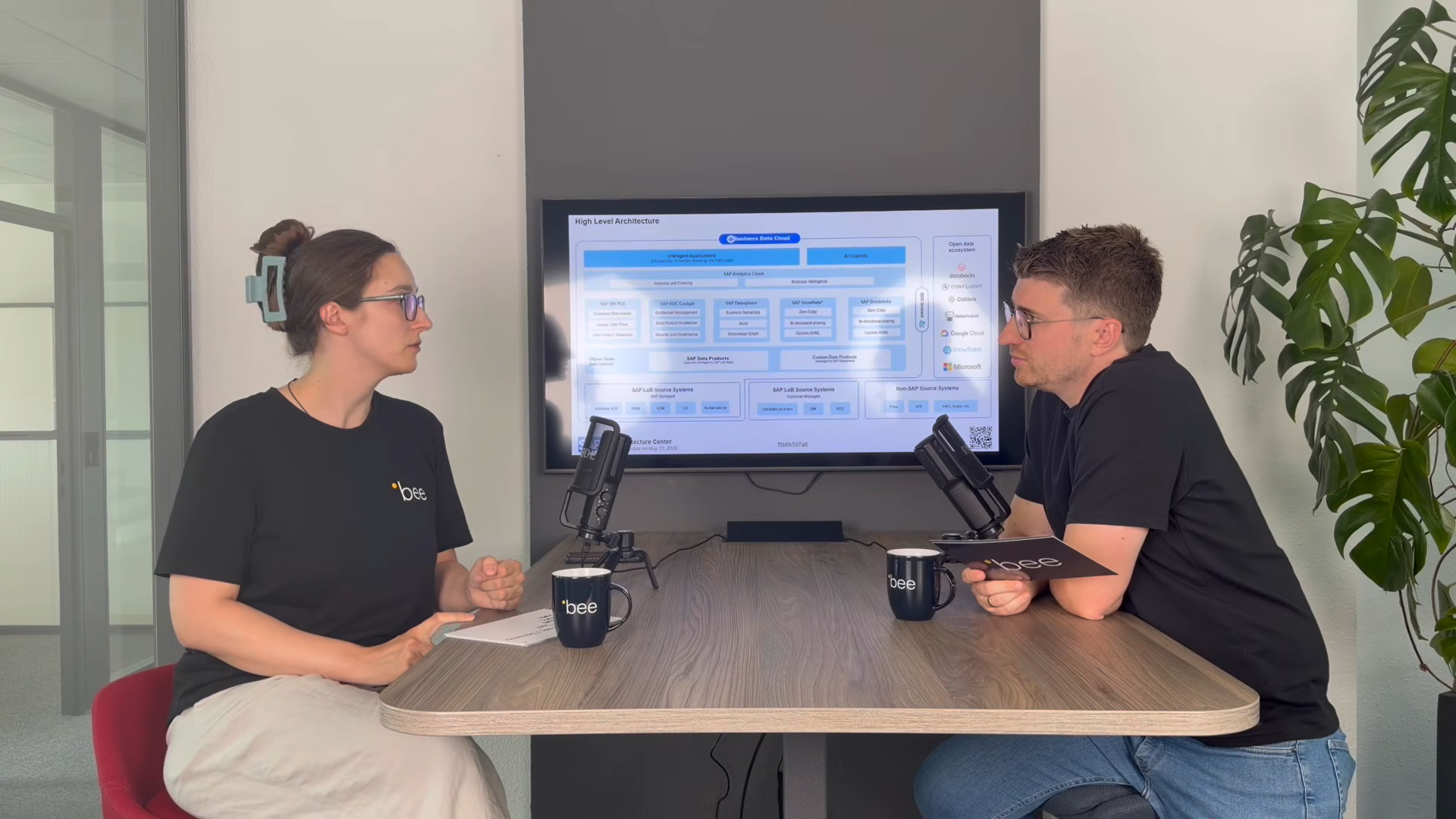
SAP Business Data Cloud
SAP Business Data Cloud: Plattform statt weiteres Tool
08.10.2026
|
SAP Cloud ERP

SAP Release-Upgrade bei Dallmayr
25.09.2026
|
Kundenreferenzen

Innovabee ist offizieller SAP-Concur-Implementierungspartner
16.09.2026
|
Innovabee