SAP Analytics Cloud:
Analyse, Planung und Prognose aus einer Hand


Frauke Hinrichs
Consultant
<style>
/* Webflow Blog Styles */
:root {
--content-max-width: 1500px;
--bg-color: #ffffff;
--font-sans: Inter, sans-serif;
--font-display: 'Mona Sans', sans-serif;
--font-sans-stretch: normal;
--font-display-stretch: normal;
}
.blog-content {
font-family: var(--font-sans);
font-stretch: var(--font-sans-stretch);
color: #000000;
line-height: 1.2;
}
figcaption, .video-caption {
font-family: 'Mona Sans', sans-serif;
font-stretch: normal;
font-size: 0.875rem;
font-weight: 500;
font-style: normal;
color: #000000;
line-height: 1.5;
letter-spacing: 0;
margin: 0.5rem 0 0 0;
text-align: center;
}
/* Image Widths and Galleries */
.offset-block {
padding-left: 50px;
}
.blog-content h1, .blog-content h2, .blog-content h3, .blog-content h4, .blog-content h5, .blog-content h6 {
font-family: var(--font-display);
font-stretch: var(--font-display-stretch);
}
.blog-content p a, .blog-content li a, .blog-content .text-link {
color: #f0567f;
text-decoration: underline;
font-weight: 500;
transition: color 0.2s ease;
}
.blog-content p a:hover, .blog-content li a:hover, .blog-content .text-link:hover {
color: #f0567f;
}
.blog-content h1 {
font-family: 'Mona Sans Expanded', sans-serif;
font-stretch: 125%;
font-size: 48px;
line-height: 1.2;
margin: 0 0 1rem 0;
color: #000000;
font-weight: 700;
letter-spacing: 0;
}
.blog-content h2 {
font-family: 'Mona Sans Expanded', sans-serif;
font-stretch: 125%;
font-size: 36px;
line-height: 1.2;
margin: 0 0 0.75rem 0;
color: #000000;
font-weight: 500;
letter-spacing: 0;
}
.blog-content h3 {
font-family: 'Mona Sans', sans-serif;
font-stretch: normal;
font-size: 26px;
line-height: 1.2;
margin: 0 0 0.5rem 0;
color: #000000;
font-weight: 700;
letter-spacing: 0;
}
.blog-content h4 {
font-family: 'Mona Sans', sans-serif;
font-stretch: normal;
font-size: 23px;
line-height: 1.1;
margin: 0 0 0.75rem 0;
color: #000000;
font-weight: 700;
letter-spacing: 0;
}
.blog-content h5 {
font-family: 'Mona Sans', sans-serif;
font-stretch: normal;
font-size: 23px;
line-height: 1.1;
margin: 0 0 0.75rem 0;
color: #000000;
font-weight: 700;
letter-spacing: 0;
}
.blog-content h6 {
font-family: 'Mona Sans', sans-serif;
font-stretch: normal;
font-size: 20px;
line-height: 1.2;
margin: 0 0 0.75rem 0;
color: #000000;
font-weight: 700;
letter-spacing: 0;
}
.blog-content .kpi-text {
font-family: 'Mona Sans', sans-serif;
font-stretch: normal;
font-size: 2.125rem;
line-height: 1.2;
margin: 0 0 1rem 0;
color: #000000;
font-weight: 700;
text-align: center;
}
.blog-content p {
font-family: 'Mona Sans', sans-serif;
font-stretch: normal;
font-size: 20px;
margin: 0 0 1rem 0;
line-height: 1.2;
color: #000000;
font-weight: 500;
}
.blog-content .text-bodyBold {
font-family: 'Mona Sans', sans-serif;
font-stretch: normal;
font-size: 20px;
margin: 0 0 1rem 0;
line-height: 1.2;
color: #000000;
font-weight: 700;
}
.blog-content ul {
font-family: 'Mona Sans', sans-serif;
font-stretch: normal;
font-size: 20px;
margin: 0 0 1rem 0;
line-height: 1.2;
color: #000000;
font-weight: 500;
}
.blog-content p a, .blog-content li a, .blog-content h1 a, .blog-content h2 a, .blog-content h3 a, .blog-content h4 a {
color: #f0567f;
text-decoration: underline;
font-weight: 500;
transition: all 0.2s ease-in-out;
}
.blog-content p a:hover, .blog-content li a:hover, .blog-content h1 a:hover, .blog-content h2 a:hover, .blog-content h3 a:hover, .blog-content h4 a:hover {
color: #f0567f;
}
.blog-content blockquote {
font-family: 'Mona Sans', sans-serif;
font-stretch: normal;
font-size: 22px;
font-style: italic;
font-weight: 400;
border-left: 0px solid #0066cc;
background-color: #f2f5f8;
padding: 0px;
margin: 1.5rem 0;
color: #000000;
}
.blog-content q {
font-family: 'Mona Sans', sans-serif;
font-stretch: normal;
font-size: 20px;
font-style: italic;
font-weight: 400;
border-left: 0px solid #94a3b8;
background-color: #f2f5f8;
padding: 0px;
quotes: "«" "»" "‹" "›";
color: #000000;
}
.custom-container {
max-width: var(--content-max-width);
margin: 0 auto;
padding: 60px 60px 70px 70px;
}
.custom-button:hover {
background-color: #fdc300 !important;
color: #000000 !important;
transform: scale(1.03) !important;
}
.faq-item {
border: 1px solid #e0e0e0;
border-radius: 8px;
padding: 15px;
margin-bottom: 1rem;
}
.faq-question {
font-weight: bold;
color: #1a1a1a;
margin-bottom: 0.5rem;
}
.faq-answer {
color: #333333;
}
.box-style-standard {
background-color: #ffffff;
border: 1px solid #e5e7eb;
border-radius: 8px;
padding: 20px;
color: #333333;
margin: 1.5rem 0;
}
.box-style-info {
background-color: #eff6ff;
border: 1px solid #3b82f6;
border-radius: 8px;
padding: 20px;
color: #1e40af;
margin: 1.5rem 0;
}
.box-style-warning {
background-color: #fffbeb;
border: 1px solid #f59e0b;
border-radius: 8px;
padding: 20px;
color: #92400e;
margin: 1.5rem 0;
}
@media (max-width: 991px) {
.offset-block { padding-left: 20px; }
.blog-content h1 { font-size: 44px; }
.blog-content h2 { font-size: 34px; }
.blog-content h3 { font-size: 24px; }
.blog-content h4 { font-size: 22px; }
.blog-content h5 { font-size: 22px; }
.blog-content h6 { font-size: 19px; }
.blog-content p { font-size: 18px; }
.blog-content .text-bodyBold { font-size: 18px; }
.blog-content ul { font-size: 19px; }
.blog-content .kpi-text { font-size: 1.8rem; }
.blog-content blockquote { font-size: 21px; }
.blog-content q { font-size: 19px; }
figcaption, .video-caption { font-size: 0.875rem; }
.custom-container { padding: 40px 40px 40px 40px; }
}
@media (max-width: 767px) {
.offset-block { padding-left: 15px; }
.blog-content h1 { font-size: 38px; }
.blog-content h2 { font-size: 28px; }
.blog-content h3 { font-size: 22px; }
.blog-content h4 { font-size: 21px; }
.blog-content h5 { font-size: 21px; }
.blog-content h6 { font-size: 18px; }
.blog-content p { font-size: 16px; }
.blog-content .text-bodyBold { font-size: 16px; }
.blog-content ul { font-size: 18px; }
.blog-content .kpi-text { font-size: 1.5rem; }
.blog-content blockquote { font-size: 20px; }
.blog-content q { font-size: 18px; }
figcaption, .video-caption { font-size: 0.875rem; }
.custom-container { padding: 15px 15px 15px 15px; }
}
/* Blog Lightbox */
.blog-lightbox-trigger { text-decoration: none !important; }
.blog-lightbox-trigger img { transition: opacity 0.2s ease; }
.blog-lightbox-trigger:hover img { opacity: 0.85; }
.blog-lightbox-overlay {
position: fixed; top: 0; left: 0; width: 100%; height: 100%;
background: rgba(0,0,0,0.85); z-index: 99999; display: flex;
align-items: center; justify-content: center; cursor: zoom-out;
animation: blogLbFadeIn 0.2s ease;
}
.blog-lightbox-overlay img {
max-width: 90vw; max-height: 90vh; border-radius: 8px;
box-shadow: 0 20px 60px rgba(0,0,0,0.5); object-fit: contain;
}
@keyframes blogLbFadeIn { from { opacity: 0; } to { opacity: 1; } }
</style>
<div class="blog-content">
<section style="background-color: #f2f5f8; width: 100%; margin-top: 0px; margin-bottom: 20px;">
<div class="custom-container" style="background-color: transparent;">
<div class="offset-block">
<p style="text-align: left;">Unternehmen produzieren jeden Tag enorme Mengen an Daten. <a href="https://bdi.eu/artikel/news/datenwirtschaft-als-katalysator-industrieller-innovation">Der Bundesverband der Industrie gibt an</a>, dass sich das weltweit generierte Datenvolumen von 2012 bis 2022 verzehnfacht hat und sich bis 2025 nochmals verdreifachen soll. Einige dieser Daten sind wertvoll und strategisch relevant, andere dagegen redundant, veraltet und unstrukturiert.</p>
<p style="text-align: left;">Firmen, die in der Lage sind, relevante von irrelevanten Daten zu unterscheiden und aus ersteren strategisch wichtige Entscheidungen abzuleiten, sind dabei klar im Wettbewerbsvorteil. SAP Analytics Cloud ist eine Software-as-a-Service-Lösung (SaaS), die genau das leistet. Die Datenmanagement- und Analyse-Lösung versetzt Anwenderunternehmen in die Lage, durchgängige Entscheidungen auf Basis fundierter und aktueller Daten zu fällen. Sie vereint Funktionen für die Analyse, Berichterstellung, Planung, das Erstellen von Prognosen, die Visualisierung und die Zusammenarbeit in einer zentralen Lösung.</p>
<p style="text-align: left;">SAP Analytics Cloud basiert auf der SAP Business Technology Platform (SAP BTP) und vereint sämtliche Analysefunktionen für alle Stakeholder in einem Unternehmen in einer einzigen Lösung. SAP Analytics Cloud verknüpft dabei klassische BI-Funktionen (Analysen, Reportings) mit Features für die Planung (Finanz- und Betriebsplanung) und Predictive Analytics (Prognosen, Modellierung von Zukunftsszenarien). Nutzer können dafür auf relevante Unternehmensdaten zugreifen. Das können Daten aus anderen SAP-Lösungen, aber auch aus Drittsystemen wie Microsoft Excel, eigene Server oder externe Datenbanken sein.</p>
</div>
<div style="text-align: center;"><div style="position: relative; width: 100%; padding-bottom: 56.25%; overflow: hidden; border-radius: 8px; margin: 1.5rem 0;">
<iframe src="https://www.youtube-nocookie.com/embed/acTruobWUUg?feature=oembed" style="position: absolute; top: 0; left: 0; width: 100%; height: 100%; border: none;" allow="accelerometer; autoplay; clipboard-write; encrypted-media; gyroscope; picture-in-picture" allowfullscreen></iframe>
</div></div>
<div class="offset-block">
<p style="text-align: left;">SAP Analytics Cloud deckt alle analytischen Anforderungen in einer Lösung ab und greift dafür auf Daten aus sämtlichen Unternehmenssystemen zurück.</p>
</div>
</div>
</section>
<section style="background-color: #f2f5f8; width: 100%; margin-top: 0px; margin-bottom: 20px;">
<div class="custom-container" style="background-color: transparent;">
<div class="offset-block">
<h2 style="text-align: left;">Funktionen für Analyse und Reporting (Business Intelligence)</h2>
<p style="text-align: left;">SAP Analytics Cloud bietet agile BI-Tools zur Analyse, Visualisierung und Planung in einer zentralen Anwendung, die über den Webbrowser abgerufen werden können und damit an jedem Ort und mit jedem Endgerät verfügbar sind. Sie bietet vorkonfigurierten Business Content wie KPIs, Modellen und Datenflüssen für eine bestimmte Branche oder Geschäftsbereich. Aussagekräftige Berichte und Dashboards sind schnell und einfach erstellt und können sofort um weitere Informationen ergänzt, bearbeitet und kommuniziert werden.</p>
</div>
<figure style="text-align: center; margin: 1.5rem 0;"><a href="https://cdn.prod.website-files.com/68ffbb1d2a6455e8202f8d3e/69d52c53ffbdbf9b744c5047_Planung-Analyse.png" class="blog-lightbox-trigger" onclick="event.preventDefault();var o=document.createElement('div');o.className='blog-lightbox-overlay';o.innerHTML='<img src="https://cdn.prod.website-files.com/68ffbb1d2a6455e8202f8d3e/69d52c53ffbdbf9b744c5047_Planung-Analyse.png" alt="">';o.onclick=function(){this.remove()};document.body.appendChild(o)" style="display: block; cursor: zoom-in;"><img src="https://cdn.prod.website-files.com/68ffbb1d2a6455e8202f8d3e/69d52c53ffbdbf9b744c5047_Planung-Analyse.png" alt="SAP Analytics Cloud Planung und Analyse Balkendiagramm" class="blog-img-241abe14-71a4-4808-abbd-a6c0b1d3b897" style="max-width: 100%; width: 100%; height: auto; border-radius: 8px; display: block; margin: 0 auto;"></a><figcaption>SAP Analytics Cloud Planung und Analyse Balkendiagramm</figcaption></figure>
<figure style="text-align: center; margin: 1.5rem 0;"><a href="https://cdn.prod.website-files.com/68ffbb1d2a6455e8202f8d3e/69d52c5b529613b5dd8cb12e_Planung-und-Analyse.png" class="blog-lightbox-trigger" onclick="event.preventDefault();var o=document.createElement('div');o.className='blog-lightbox-overlay';o.innerHTML='<img src="https://cdn.prod.website-files.com/68ffbb1d2a6455e8202f8d3e/69d52c5b529613b5dd8cb12e_Planung-und-Analyse.png" alt="">';o.onclick=function(){this.remove()};document.body.appendChild(o)" style="display: block; cursor: zoom-in;"><img src="https://cdn.prod.website-files.com/68ffbb1d2a6455e8202f8d3e/69d52c5b529613b5dd8cb12e_Planung-und-Analyse.png" alt="SAP Analytics Cloud Planung und Analyse Flächendiagramm" class="blog-img-9e9dd0e9-61a8-4437-9e6d-899e2d0e97e8" style="max-width: 100%; width: 100%; height: auto; border-radius: 8px; display: block; margin: 0 auto;"></a><figcaption>SAP Analytics Cloud Planung und Analyse Flächendiagramm</figcaption></figure>
</div>
</section>
<section style="background-color: #f2f5f8; width: 100%; margin-top: 0px; margin-bottom: 20px;">
<div class="custom-container" style="background-color: transparent;">
<div class="offset-block">
<h2 style="text-align: left;">Funktionen für die Planung (Business Planning)</h2>
<p style="text-align: left;">SAP Analytics Cloud ermöglicht die Einbindung von Analysen direkt in die Finanzplanungsprozesse und erspart damit den Wechsel zwischen verschiedenen Planungswerkzeugen. Analysen in Echtzeit (Ad-hoc-Reporting, Forecasting, What-if-Analysen) liefern schnelle Antworten auf strategisch wichtige Fragen. Mit SAP Datasphere (ein separates Tool, das an die SAP Analytics Cloud angebunden werden kann) binden Sie alle Daten zentral für die weitere Planung und Analyse der Daten an einem Ort. Pläne können in beliebiger Detailtiefe erstellt und auch unterwegs geändert und mit anderen Nutzern geteilt oder bearbeitet werden. Funktionen wie mehrdimensionale Drag-and-Drop-Reportdesign, vorkonfigurierte Layouts und automatische Verbreitung beschleunigen Planungszyklen zusätzlich.</p>
</div>
<figure style="text-align: center; margin: 1.5rem 0;"><a href="https://cdn.prod.website-files.com/68ffbb1d2a6455e8202f8d3e/69d52c61a581bd1b3cb4b8b3_Planung-Produkt-hinzufuegen-1.png" class="blog-lightbox-trigger" onclick="event.preventDefault();var o=document.createElement('div');o.className='blog-lightbox-overlay';o.innerHTML='<img src="https://cdn.prod.website-files.com/68ffbb1d2a6455e8202f8d3e/69d52c61a581bd1b3cb4b8b3_Planung-Produkt-hinzufuegen-1.png" alt="">';o.onclick=function(){this.remove()};document.body.appendChild(o)" style="display: block; cursor: zoom-in;"><img src="https://cdn.prod.website-files.com/68ffbb1d2a6455e8202f8d3e/69d52c61a581bd1b3cb4b8b3_Planung-Produkt-hinzufuegen-1.png" alt="SAP Analytics Cloud Planung Produkt hinzufügen" class="blog-img-27a38696-0f32-4d0b-9476-b8a72c99fa3e" style="max-width: 100%; width: 100%; height: auto; border-radius: 8px; display: block; margin: 0 auto;"></a><figcaption>SAP Analytics Cloud Planung Produkt hinzufügen</figcaption></figure>
<figure style="text-align: center; margin: 1.5rem 0;"><a href="https://cdn.prod.website-files.com/68ffbb1d2a6455e8202f8d3e/69d52c628971f43adc81b5ff_Planung-Dateneingabe.png" class="blog-lightbox-trigger" onclick="event.preventDefault();var o=document.createElement('div');o.className='blog-lightbox-overlay';o.innerHTML='<img src="https://cdn.prod.website-files.com/68ffbb1d2a6455e8202f8d3e/69d52c628971f43adc81b5ff_Planung-Dateneingabe.png" alt="">';o.onclick=function(){this.remove()};document.body.appendChild(o)" style="display: block; cursor: zoom-in;"><img src="https://cdn.prod.website-files.com/68ffbb1d2a6455e8202f8d3e/69d52c628971f43adc81b5ff_Planung-Dateneingabe.png" alt="SAP Analytics Cloud Planung Dateneingabe" class="blog-img-ecb92d7e-34ac-4686-a3ba-3b6e65e48e08" style="max-width: 100%; width: 100%; height: auto; border-radius: 8px; display: block; margin: 0 auto;"></a><figcaption>SAP Analytics Cloud Planung Dateneingabe</figcaption></figure>
<figure style="text-align: center; margin: 1.5rem 0;"><a href="https://cdn.prod.website-files.com/68ffbb1d2a6455e8202f8d3e/69d52c624b6b3d90c2df94cc_Rolierende-Planung.png" class="blog-lightbox-trigger" onclick="event.preventDefault();var o=document.createElement('div');o.className='blog-lightbox-overlay';o.innerHTML='<img src="https://cdn.prod.website-files.com/68ffbb1d2a6455e8202f8d3e/69d52c624b6b3d90c2df94cc_Rolierende-Planung.png" alt="">';o.onclick=function(){this.remove()};document.body.appendChild(o)" style="display: block; cursor: zoom-in;"><img src="https://cdn.prod.website-files.com/68ffbb1d2a6455e8202f8d3e/69d52c624b6b3d90c2df94cc_Rolierende-Planung.png" alt="SAP Analytics Cloud Rolierende Planung" class="blog-img-628c6915-e0ff-4320-b357-567a2785d300" style="max-width: 100%; width: 100%; height: auto; border-radius: 8px; display: block; margin: 0 auto;"></a><figcaption>SAP Analytics Cloud Rolierende Planung</figcaption></figure>
<figure style="text-align: center; margin: 1.5rem 0;"><a href="https://cdn.prod.website-files.com/68ffbb1d2a6455e8202f8d3e/69d52c637aff1dc3b26ec3a0_Planung.png" class="blog-lightbox-trigger" onclick="event.preventDefault();var o=document.createElement('div');o.className='blog-lightbox-overlay';o.innerHTML='<img src="https://cdn.prod.website-files.com/68ffbb1d2a6455e8202f8d3e/69d52c637aff1dc3b26ec3a0_Planung.png" alt="">';o.onclick=function(){this.remove()};document.body.appendChild(o)" style="display: block; cursor: zoom-in;"><img src="https://cdn.prod.website-files.com/68ffbb1d2a6455e8202f8d3e/69d52c637aff1dc3b26ec3a0_Planung.png" alt="SAP Analytics Cloud Planungstabelle" class="blog-img-44dc4612-4f2d-4c72-ab4a-9d230c5ffb42" style="max-width: 100%; width: 100%; height: auto; border-radius: 8px; display: block; margin: 0 auto;"></a><figcaption>SAP Analytics Cloud Planungstabelle</figcaption></figure>
<figure style="text-align: center; margin: 1.5rem 0;"><a href="https://cdn.prod.website-files.com/68ffbb1d2a6455e8202f8d3e/69d52c64543916079d8d92f3_Value-Driver-Tree.png" class="blog-lightbox-trigger" onclick="event.preventDefault();var o=document.createElement('div');o.className='blog-lightbox-overlay';o.innerHTML='<img src="https://cdn.prod.website-files.com/68ffbb1d2a6455e8202f8d3e/69d52c64543916079d8d92f3_Value-Driver-Tree.png" alt="">';o.onclick=function(){this.remove()};document.body.appendChild(o)" style="display: block; cursor: zoom-in;"><img src="https://cdn.prod.website-files.com/68ffbb1d2a6455e8202f8d3e/69d52c64543916079d8d92f3_Value-Driver-Tree.png" alt="SAP Analytics Cloud Value Driver Tree" class="blog-img-00a8176e-977f-4537-900e-08142a5c910c" style="max-width: 100%; width: 100%; height: auto; border-radius: 8px; display: block; margin: 0 auto;"></a><figcaption>SAP Analytics Cloud Value Driver Tree</figcaption></figure>
</div>
</section>
<section style="background-color: #f2f5f8; width: 100%; margin-top: 0px; margin-bottom: 20px;">
<div class="custom-container" style="background-color: transparent;">
<div class="offset-block">
<h2 style="text-align: left;">Funktionen für Prognosen (Smart Predict)</h2>
<p style="text-align: left;">Durch die Lösungen SAP Smart Predict sowie SAP AI Core integriert stehen in der Analytics Cloud moderne, KI-gestützte Methoden zur Verfügung, die etwa Prognosen, Klassifizierungen oder Segmentierungen ermöglichen – ohne dass Nutzer dafür eigene Modelle schreiben müssen. Hierbei stehen zahlreiche Visualisierungen (u.a. Visualisierungen wie Histogramme, Box- und Scatter-Plots, 3D-Graphen) zur Verfügung.</p>
</div>
<figure style="text-align: center; margin: 1.5rem 0;"><a href="https://cdn.prod.website-files.com/68ffbb1d2a6455e8202f8d3e/69d52c6586948a6a608f197d_Smart-Predict-3.png" class="blog-lightbox-trigger" onclick="event.preventDefault();var o=document.createElement('div');o.className='blog-lightbox-overlay';o.innerHTML='<img src="https://cdn.prod.website-files.com/68ffbb1d2a6455e8202f8d3e/69d52c6586948a6a608f197d_Smart-Predict-3.png" alt="">';o.onclick=function(){this.remove()};document.body.appendChild(o)" style="display: block; cursor: zoom-in;"><img src="https://cdn.prod.website-files.com/68ffbb1d2a6455e8202f8d3e/69d52c6586948a6a608f197d_Smart-Predict-3.png" alt="SAP Analytics Cloud_Smart Predict" class="blog-img-426306c2-ccb5-4719-b5ad-095c7d8e266f" style="max-width: 100%; width: 100%; height: auto; border-radius: 8px; display: block; margin: 0 auto;"></a><figcaption>SAP Analytics Cloud_Smart Predict</figcaption></figure>
</div>
</section>
<section style="background-color: #f2f5f8; width: 100%; margin-top: 0px; margin-bottom: 20px;">
<div class="custom-container" style="background-color: transparent;">
<div class="offset-block">
<h2 style="text-align: left;">Funktionen zur Spracheingabe mit KI-Unterstützung</h2>
<p style="text-align: left;">SAP Analytics Cloud unterstützt inzwischen auch generative KI und natürliche Spracheingabe auf Basis von Large Language Models (LLMs). Nutzer können etwa Fragen wie „Wie haben sich die Umsätze im Q4 2024 im Raum DACH entwickelt?“ in natürlicher Sprache stellen – und erhalten automatisch generierte Analysen mit passenden Visualisierungen. Diese Funktionen sind Teil von SAPs strategischem Assistenten Joule.</p>
</div>
<figure style="text-align: center; margin: 1.5rem 0;"><a href="https://cdn.prod.website-files.com/68ffbb1d2a6455e8202f8d3e/69d52c668a8a41da3b6caaa7_Joule.png" class="blog-lightbox-trigger" onclick="event.preventDefault();var o=document.createElement('div');o.className='blog-lightbox-overlay';o.innerHTML='<img src="https://cdn.prod.website-files.com/68ffbb1d2a6455e8202f8d3e/69d52c668a8a41da3b6caaa7_Joule.png" alt="">';o.onclick=function(){this.remove()};document.body.appendChild(o)" style="display: block; cursor: zoom-in;"><img src="https://cdn.prod.website-files.com/68ffbb1d2a6455e8202f8d3e/69d52c668a8a41da3b6caaa7_Joule.png" alt="SAP Analytics Cloud Joule" class="blog-img-b05047ad-3f53-43dd-a37f-ab41e5d91ee4" style="max-width: 100%; width: 100%; height: auto; border-radius: 8px; display: block; margin: 0 auto;"></a><figcaption>SAP Analytics Cloud Joule</figcaption></figure>
</div>
</section>
<section style="background-color: #f2f5f8; width: 100%; margin-top: 0px; margin-bottom: 20px;">
<div class="custom-container" style="background-color: transparent;">
<div class="offset-block">
<h2 style="text-align: left;">Funktionen für das Veröffentlichen von Stories und Berichten</h2>
<p style="text-align: left;">SAP Analytics Cloud enthält die Möglichkeit, Stories automatisiert zu veröffentlichen und zu planen (Schedule Publications). Hier kann der Nutzer sich durch interaktive Berichte und Dashboards durchklicken. Außerdem können diese an Nicht-SAC-Nutzer verschickt werden — jedoch gilt hier die Einschränkung von max. 3 Empfängern.</p>
</div>
<figure style="text-align: center; margin: 1.5rem 0;"><a href="https://cdn.prod.website-files.com/68ffbb1d2a6455e8202f8d3e/69d52c678971f43adc81b7bd_Dashboard.png" class="blog-lightbox-trigger" onclick="event.preventDefault();var o=document.createElement('div');o.className='blog-lightbox-overlay';o.innerHTML='<img src="https://cdn.prod.website-files.com/68ffbb1d2a6455e8202f8d3e/69d52c678971f43adc81b7bd_Dashboard.png" alt="">';o.onclick=function(){this.remove()};document.body.appendChild(o)" style="display: block; cursor: zoom-in;"><img src="https://cdn.prod.website-files.com/68ffbb1d2a6455e8202f8d3e/69d52c678971f43adc81b7bd_Dashboard.png" alt="SAP Analytics Cloud Dashboard" class="blog-img-cf6ed0a0-8c02-4336-8949-e896c1efc7e7" style="max-width: 100%; width: 100%; height: auto; border-radius: 8px; display: block; margin: 0 auto;"></a><figcaption>SAP Analytics Cloud Dashboard</figcaption></figure>
<figure style="text-align: center; margin: 1.5rem 0;"><a href="https://cdn.prod.website-files.com/68ffbb1d2a6455e8202f8d3e/69d52c68a401577b68edcabc_noun_Cloud_97530-e1568881424743-300x198.png" class="blog-lightbox-trigger" onclick="event.preventDefault();var o=document.createElement('div');o.className='blog-lightbox-overlay';o.innerHTML='<img src="https://cdn.prod.website-files.com/68ffbb1d2a6455e8202f8d3e/69d52c68a401577b68edcabc_noun_Cloud_97530-e1568881424743-300x198.png" alt="">';o.onclick=function(){this.remove()};document.body.appendChild(o)" style="display: block; cursor: zoom-in;"><img src="https://cdn.prod.website-files.com/68ffbb1d2a6455e8202f8d3e/69d52c68a401577b68edcabc_noun_Cloud_97530-e1568881424743-300x198.png" alt="Allgemein_Icon_Wolke" class="blog-img-3029cbc6-79ca-4596-8de2-a4efa5ae28d8" style="max-width: 100%; width: 100%; height: auto; border-radius: 8px; display: block; margin: 0 auto;"></a><figcaption>Allgemein_Icon_Wolke</figcaption></figure>
</div>
</section>
<section style="background-color: #f2f5f8; width: 100%; margin-top: 0px; margin-bottom: 20px;">
<div class="custom-container" style="background-color: transparent;">
<div class="offset-block">
<h2 style="text-align: left;">Die Vorteile von SAP Analytics Cloud auf einen Blick:</h2>
<ul style="padding-left: 1.5rem; list-style-type: disc;">
<li style="margin-bottom: 0.5rem;">Kombination von Funktionen für Business Intelligence, Unternehmensplanung und Analytics in einer Lösung</li>
<li style="margin-bottom: 0.5rem;">Zugriff auf sämtliche Unternehmensdaten aus internen und externen Quellen sowie aus SAP- und Nicht-SAP-Systemen</li>
<li style="margin-bottom: 0.5rem;">KI-gestützte Interaktion mit natürlicher Spracheingabe und Smart Features wie Smart Insights oder Smart Predict</li>
<li style="margin-bottom: 0.5rem;">Echtzeitdaten für schnelle Reaktionen auf sich ändernde Marktbedingungen</li>
<li style="margin-bottom: 0.5rem;">Aussagekräftige Visualisierungen für überzeugende Präsentationen</li>
<li style="margin-bottom: 0.5rem;">Einfacher Zugriff über den Webbrowser – jederzeit, von überall und auf jedem Gerät</li>
</ul>
</div>
</div>
</section>
</div>
Sie wollen keine News mehr verpassen? Dann abonnieren Sie unseren Newsletter:
Weitere Beiträge
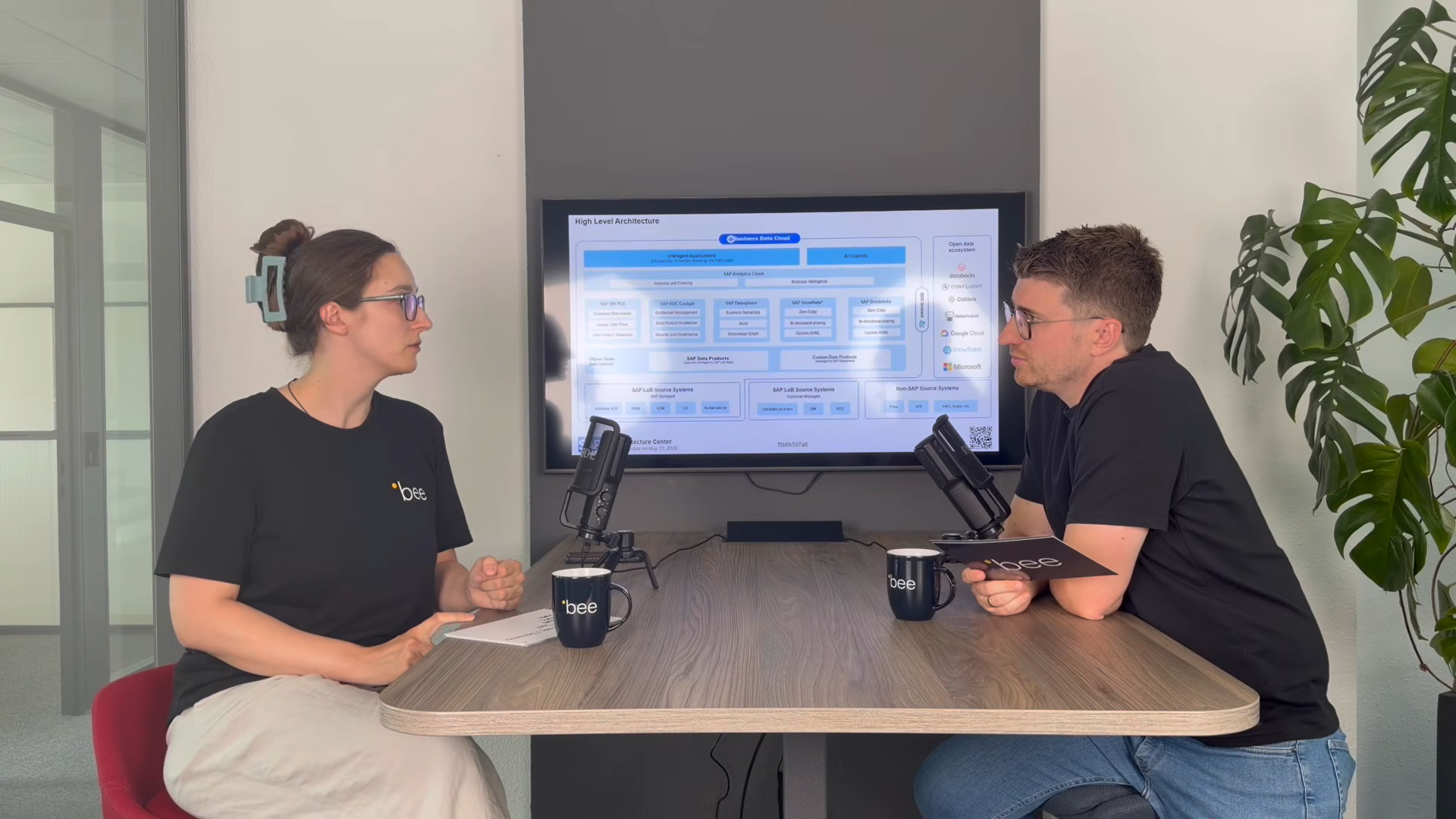
SAP Business Data Cloud
SAP Business Data Cloud: Plattform statt weiteres Tool
08.10.2026
|
SAP Cloud ERP

SAP Release-Upgrade bei Dallmayr
25.09.2026
|
Kundenreferenzen

Innovabee ist offizieller SAP-Concur-Implementierungspartner
16.09.2026
|
Innovabee