“Powered by AI, designed for Agility”:
die Joule- und UX-Highlights im SAP Cloud ERP Release 2508


Denise Stelzig
Junior Consultant & SAP Business AI Expertin
<style>
/* Webflow Blog Styles */
:root {
--content-max-width: 1500px;
--bg-color: #ffffff;
--font-sans: Inter, sans-serif;
--font-display: 'Mona Sans', sans-serif;
--font-sans-stretch: normal;
--font-display-stretch: normal;
}
.blog-content {
font-family: var(--font-sans);
font-stretch: var(--font-sans-stretch);
color: #000000;
line-height: 1.2;
}
figcaption, .video-caption {
font-family: 'Mona Sans', sans-serif;
font-stretch: normal;
font-size: 0.875rem;
font-weight: 500;
font-style: normal;
color: #000000;
line-height: 1.5;
letter-spacing: 0;
margin: 0.5rem 0 0 0;
text-align: center;
}
/* Image Widths and Galleries */
.offset-block {
padding-left: 50px;
}
.blog-content h1, .blog-content h2, .blog-content h3, .blog-content h4, .blog-content h5, .blog-content h6 {
font-family: var(--font-display);
font-stretch: var(--font-display-stretch);
}
.blog-content p a, .blog-content li a, .blog-content .text-link {
color: #f0567f;
text-decoration: underline;
font-weight: 500;
transition: color 0.2s ease;
}
.blog-content p a:hover, .blog-content li a:hover, .blog-content .text-link:hover {
color: #f0567f;
}
.blog-content h1 {
font-family: 'Mona Sans Expanded', sans-serif;
font-stretch: 125%;
font-size: 48px;
line-height: 1.2;
margin: 0 0 1rem 0;
color: #000000;
font-weight: 700;
letter-spacing: 0;
}
.blog-content h2 {
font-family: 'Mona Sans Expanded', sans-serif;
font-stretch: 125%;
font-size: 36px;
line-height: 1.2;
margin: 0 0 0.75rem 0;
color: #000000;
font-weight: 500;
letter-spacing: 0;
}
.blog-content h3 {
font-family: 'Mona Sans', sans-serif;
font-stretch: normal;
font-size: 26px;
line-height: 1.2;
margin: 0 0 0.5rem 0;
color: #000000;
font-weight: 700;
letter-spacing: 0;
}
.blog-content h4 {
font-family: 'Mona Sans', sans-serif;
font-stretch: normal;
font-size: 23px;
line-height: 1.1;
margin: 0 0 0.75rem 0;
color: #000000;
font-weight: 700;
letter-spacing: 0;
}
.blog-content h5 {
font-family: 'Mona Sans', sans-serif;
font-stretch: normal;
font-size: 23px;
line-height: 1.1;
margin: 0 0 0.75rem 0;
color: #000000;
font-weight: 700;
letter-spacing: 0;
}
.blog-content h6 {
font-family: 'Mona Sans', sans-serif;
font-stretch: normal;
font-size: 20px;
line-height: 1.2;
margin: 0 0 0.75rem 0;
color: #000000;
font-weight: 700;
letter-spacing: 0;
}
.blog-content .kpi-text {
font-family: 'Mona Sans', sans-serif;
font-stretch: normal;
font-size: 2.125rem;
line-height: 1.2;
margin: 0 0 1rem 0;
color: #000000;
font-weight: 700;
text-align: center;
}
.blog-content p {
font-family: 'Mona Sans', sans-serif;
font-stretch: normal;
font-size: 20px;
margin: 0 0 1rem 0;
line-height: 1.2;
color: #000000;
font-weight: 500;
}
.blog-content .text-bodyBold {
font-family: 'Mona Sans', sans-serif;
font-stretch: normal;
font-size: 20px;
margin: 0 0 1rem 0;
line-height: 1.2;
color: #000000;
font-weight: 700;
}
.blog-content ul {
font-family: 'Mona Sans', sans-serif;
font-stretch: normal;
font-size: 20px;
margin: 0 0 1rem 0;
line-height: 1.2;
color: #000000;
font-weight: 500;
}
.blog-content p a, .blog-content li a, .blog-content h1 a, .blog-content h2 a, .blog-content h3 a, .blog-content h4 a {
color: #f0567f;
text-decoration: underline;
font-weight: 500;
transition: all 0.2s ease-in-out;
}
.blog-content p a:hover, .blog-content li a:hover, .blog-content h1 a:hover, .blog-content h2 a:hover, .blog-content h3 a:hover, .blog-content h4 a:hover {
color: #f0567f;
}
.blog-content blockquote {
font-family: 'Mona Sans', sans-serif;
font-stretch: normal;
font-size: 22px;
font-style: italic;
font-weight: 400;
border-left: 0px solid #0066cc;
background-color: #f2f5f8;
padding: 0px;
margin: 1.5rem 0;
color: #000000;
}
.blog-content q {
font-family: 'Mona Sans', sans-serif;
font-stretch: normal;
font-size: 20px;
font-style: italic;
font-weight: 400;
border-left: 0px solid #94a3b8;
background-color: #f2f5f8;
padding: 0px;
quotes: "«" "»" "‹" "›";
color: #000000;
}
.custom-container {
max-width: var(--content-max-width);
margin: 0 auto;
padding: 60px 60px 70px 70px;
}
.custom-button:hover {
background-color: #fdc300 !important;
color: #000000 !important;
transform: scale(1.03) !important;
}
.faq-item {
border: 1px solid #e0e0e0;
border-radius: 8px;
padding: 15px;
margin-bottom: 1rem;
}
.faq-question {
font-weight: bold;
color: #1a1a1a;
margin-bottom: 0.5rem;
}
.faq-answer {
color: #333333;
}
.box-style-standard {
background-color: #ffffff;
border: 1px solid #e5e7eb;
border-radius: 8px;
padding: 20px;
color: #333333;
margin: 1.5rem 0;
}
.box-style-info {
background-color: #eff6ff;
border: 1px solid #3b82f6;
border-radius: 8px;
padding: 20px;
color: #1e40af;
margin: 1.5rem 0;
}
.box-style-warning {
background-color: #fffbeb;
border: 1px solid #f59e0b;
border-radius: 8px;
padding: 20px;
color: #92400e;
margin: 1.5rem 0;
}
@media (max-width: 991px) {
.offset-block { padding-left: 20px; }
.blog-content h1 { font-size: 44px; }
.blog-content h2 { font-size: 34px; }
.blog-content h3 { font-size: 24px; }
.blog-content h4 { font-size: 22px; }
.blog-content h5 { font-size: 22px; }
.blog-content h6 { font-size: 19px; }
.blog-content p { font-size: 18px; }
.blog-content .text-bodyBold { font-size: 18px; }
.blog-content ul { font-size: 19px; }
.blog-content .kpi-text { font-size: 1.8rem; }
.blog-content blockquote { font-size: 21px; }
.blog-content q { font-size: 19px; }
figcaption, .video-caption { font-size: 0.875rem; }
.custom-container { padding: 40px 40px 40px 40px; }
}
@media (max-width: 767px) {
.offset-block { padding-left: 15px; }
.blog-content h1 { font-size: 38px; }
.blog-content h2 { font-size: 28px; }
.blog-content h3 { font-size: 22px; }
.blog-content h4 { font-size: 21px; }
.blog-content h5 { font-size: 21px; }
.blog-content h6 { font-size: 18px; }
.blog-content p { font-size: 16px; }
.blog-content .text-bodyBold { font-size: 16px; }
.blog-content ul { font-size: 18px; }
.blog-content .kpi-text { font-size: 1.5rem; }
.blog-content blockquote { font-size: 20px; }
.blog-content q { font-size: 18px; }
figcaption, .video-caption { font-size: 0.875rem; }
.custom-container { padding: 15px 15px 15px 15px; }
}
/* Blog Lightbox */
.blog-lightbox-trigger { text-decoration: none !important; }
.blog-lightbox-trigger img { transition: opacity 0.2s ease; }
.blog-lightbox-trigger:hover img { opacity: 0.85; }
.blog-lightbox-overlay {
position: fixed; top: 0; left: 0; width: 100%; height: 100%;
background: rgba(0,0,0,0.85); z-index: 99999; display: flex;
align-items: center; justify-content: center; cursor: zoom-out;
animation: blogLbFadeIn 0.2s ease;
}
.blog-lightbox-overlay img {
max-width: 90vw; max-height: 90vh; border-radius: 8px;
box-shadow: 0 20px 60px rgba(0,0,0,0.5); object-fit: contain;
}
@keyframes blogLbFadeIn { from { opacity: 0; } to { opacity: 1; } }
</style>
<div class="blog-content">
<section style="background-color: #f2f5f8; width: 100%; margin-top: 0px; margin-bottom: 20px;">
<div class="custom-container" style="background-color: transparent;">
<div class="offset-block">
<p style="text-align: left;">Das <a href="https://community.sap.com/t5/enterprise-resource-planning-blog-posts-by-sap/highlights-of-the-sap-s-4hana-cloud-public-edition-2508-release/ba-p/14163726">2508-Release der Public Cloud</a> hebt auch die Themen SAP Joule bzw. Joule for Business und User Experience (UX)¹ auf das nächste Level – und wie genau das in der Praxis aussieht, das haben wir uns bei Innovabee im Detail angesehen: So bringt Joule for Business im August 2025 eine neue Dimension intelligenter KI-Unterstützung direkt in die SAP-Cloud-ERP-Welt und erlaubt es Anwendern in immer mehr Bereichen, via natürlicher Sprache mit ihren Systemen zu interagieren und so schneller wirkungsvollere Ergebnisse zu erzielen. Für uns ein absoluter Game Changer, denn mit dem neuen Release optimiert die generative KI nicht nur einzelne Aufgaben, sondern verändert Arbeitsweisen und setzt einen neuen Standard für ein intelligentes ERP -</p>
<q style="border-left-color: #94a3b8; background-color: #f2f5f8; text-align: left; display: block;">„guiding you directly to the right apps and insights“!</q>
</div>
<figure style="text-align: center; margin: 1.5rem 0;"><a href="https://cdn.prod.website-files.com/68ffbb1d2a6455e8202f8d3e/69d52f00e3003e802c102ca0_Joule_1-Overview.png" class="blog-lightbox-trigger" onclick="event.preventDefault();var o=document.createElement('div');o.className='blog-lightbox-overlay';o.innerHTML='<img src="https://cdn.prod.website-files.com/68ffbb1d2a6455e8202f8d3e/69d52f00e3003e802c102ca0_Joule_1-Overview.png" alt="">';o.onclick=function(){this.remove()};document.body.appendChild(o)" style="display: block; cursor: zoom-in;"><img src="https://cdn.prod.website-files.com/68ffbb1d2a6455e8202f8d3e/69d52f00e3003e802c102ca0_Joule_1-Overview.png" alt="SAP Joule" class="blog-img-702685d4-4c7c-42a7-93ec-ab4d339963c0" style="max-width: 100%; width: 100%; height: auto; border-radius: 8px; display: block; margin: 0 auto;"></a><figcaption>SAP Joule</figcaption></figure>
<div class="offset-block">
<p style="text-align: left;">Direkt in die SAP Cloud ERP integriert, bringt SAPs digitaler Assistent Joule die Navigation und Bedienung von Geschäftsanwendungen auf die Überholspur, indem er Nutzerabsichten interpretiert und kontextrelevante Ergebnisse liefert – und das alles durch intuitive, dialogorientierte Interaktion.</p>
<p style="text-align: left;">¹ Bitte beachten Sie, dass die Nutzung der KI-Anwendungsfälle möglicherweise zusätzliche Verträge und/oder Lizenzen erfordert.</p>
</div>
</div>
</section>
<section style="background-color: #f2f5f8; width: 100%; margin-top: 0px; margin-bottom: 20px;">
<div class="custom-container" style="background-color: transparent;">
<div class="offset-block">
<h2 style="text-align: left;">Beispiel 1: SAP Joule bietet Navigational Assistance für das Service Contract Management</h2>
<p style="text-align: left;">Service-Verträge einfacher und effizienter verwalten, das ermöglicht Joule for Business: Anwender können ihre Anforderungen in natürlicher Sprache beschreiben („Zeige meine demnächst auslaufenden Service-Verträge“) und Joule bietet direkten Zugriff auf die dafür relevanten Apps wie „Service-Verträge verwalten“, „Service-Management-Übersicht“ und das Service-Vertrags-Dashboard. Das erleichtert und professionalisiert gleichzeitig Prozesse wie Leistungsüberprüfungen bis hin zu umfangreichen Vertragsabwicklungen:</p>
</div>
<figure style="text-align: center; margin: 1.5rem 0;"><a href="https://cdn.prod.website-files.com/68ffbb1d2a6455e8202f8d3e/69d52f01e871e0e946b2910f_Joule_2_Service-Contract.Managament.png" class="blog-lightbox-trigger" onclick="event.preventDefault();var o=document.createElement('div');o.className='blog-lightbox-overlay';o.innerHTML='<img src="https://cdn.prod.website-files.com/68ffbb1d2a6455e8202f8d3e/69d52f01e871e0e946b2910f_Joule_2_Service-Contract.Managament.png" alt="">';o.onclick=function(){this.remove()};document.body.appendChild(o)" style="display: block; cursor: zoom-in;"><img src="https://cdn.prod.website-files.com/68ffbb1d2a6455e8202f8d3e/69d52f01e871e0e946b2910f_Joule_2_Service-Contract.Managament.png" alt="SAP Joule Service Contract Management" class="blog-img-9c38ec22-d7e8-405f-af17-db825a719eaf" style="max-width: 100%; width: 100%; height: auto; border-radius: 8px; display: block; margin: 0 auto;"></a><figcaption>SAP Joule Service Contract Management</figcaption></figure>
</div>
</section>
<section style="background-color: #f2f5f8; width: 100%; margin-top: 0px; margin-bottom: 20px;">
<div class="custom-container" style="background-color: transparent;">
<div class="offset-block">
<h2 style="text-align: left;">Beispiel 2: SAP Joule optimiert das Solution Order Management</h2>
<p style="text-align: left;">Sei es die Rentabilitätsbewertung eines Auftrags oder die Überwachung der Auftragsabwicklung – Joule interpretiert die Nutzeranfrage in natürlicher Sprache und navigiert direkt zu Apps wie „Lösungsauftragsübersicht“ oder „Lösungsauftragsrentabilität“. Das spart Zeit und reduziert viele unnötige manuelle Zwischenschritte, denn das benötigte Tool zum Weiterarbeiten ist quasi nur einen Prompt entfernt:</p>
</div>
<figure style="text-align: center; margin: 1.5rem 0;"><a href="https://cdn.prod.website-files.com/68ffbb1d2a6455e8202f8d3e/69d52f02866429f86255367e_Joule_3_Solution-Order-Management.png" class="blog-lightbox-trigger" onclick="event.preventDefault();var o=document.createElement('div');o.className='blog-lightbox-overlay';o.innerHTML='<img src="https://cdn.prod.website-files.com/68ffbb1d2a6455e8202f8d3e/69d52f02866429f86255367e_Joule_3_Solution-Order-Management.png" alt="">';o.onclick=function(){this.remove()};document.body.appendChild(o)" style="display: block; cursor: zoom-in;"><img src="https://cdn.prod.website-files.com/68ffbb1d2a6455e8202f8d3e/69d52f02866429f86255367e_Joule_3_Solution-Order-Management.png" alt="SAP Joule Solution Order Management" class="blog-img-855cc6ab-d01c-44f8-b72a-dc6069edc6e8" style="max-width: 100%; width: 100%; height: auto; border-radius: 8px; display: block; margin: 0 auto;"></a><figcaption>SAP Joule Solution Order Management</figcaption></figure>
</div>
</section>
<section style="background-color: #f2f5f8; width: 100%; margin-top: 0px; margin-bottom: 20px;">
<div class="custom-container" style="background-color: transparent;">
<div class="offset-block">
<h2 style="text-align: left;">Beispiel 3: SAP Joule assistiert beim Sales Order Status Check</h2>
<p style="text-align: left;">Zeitnahe Statusprüfungen sind vor allem für Vertriebsmitarbeitende entscheidend – und genau dafür bietet Joule for Business eine KI-gestützte Funktion, die den Status von Kundenaufträgen überprüft und auf Probleme bei der Auftragsabwicklung aufmerksam macht. Anstelle wie bisher Daten manuell zu durchsuchen, können Nutzer nun Fragen stellen wie: „Was blockiert die Auslieferung des Kundenauftrags?“ und Joule antwortet darauf in natürlicher Sprache, erläutert den aktuellen Status, weist auf mögliche Verzögerungen oder Probleme hin und bietet Lösungsvorschläge. Darüber hinaus bietet Joule direkten Zugriff auf relevante Anwendungen für Folgemaßnahmen – und das wiederum beschleunigt die Problemlösung und verbessert insgesamt die Transparenz im Vertriebsprozess:</p>
</div>
<figure style="text-align: center; margin: 1.5rem 0;"><a href="https://cdn.prod.website-files.com/68ffbb1d2a6455e8202f8d3e/69d52f03765825954ff5d315_Joule_4_Sales-Order-Status-Check.png" class="blog-lightbox-trigger" onclick="event.preventDefault();var o=document.createElement('div');o.className='blog-lightbox-overlay';o.innerHTML='<img src="https://cdn.prod.website-files.com/68ffbb1d2a6455e8202f8d3e/69d52f03765825954ff5d315_Joule_4_Sales-Order-Status-Check.png" alt="">';o.onclick=function(){this.remove()};document.body.appendChild(o)" style="display: block; cursor: zoom-in;"><img src="https://cdn.prod.website-files.com/68ffbb1d2a6455e8202f8d3e/69d52f03765825954ff5d315_Joule_4_Sales-Order-Status-Check.png" alt="SAP Joule Sales Order Status Check" class="blog-img-ef2e05ad-2688-49eb-aad8-e485a502c196" style="max-width: 100%; width: 100%; height: auto; border-radius: 8px; display: block; margin: 0 auto;"></a><figcaption>SAP Joule Sales Order Status Check</figcaption></figure>
</div>
</section>
<section style="background-color: #f2f5f8; width: 100%; margin-top: 0px; margin-bottom: 20px;">
<div class="custom-container" style="background-color: transparent;">
<div class="offset-block">
<h2 style="text-align: left;">User Experience (UX) in SAP Cloud ERP</h2>
<p style="text-align: left;">Mit der <strong>„AI-assisted Enterprise Search“</strong> im SAP Fiori Launchpad können Anwender ab dem Release 2508 die Enterprise nutzen und damit effizient auf Geschäftsdaten zugreifen. Dafür wird, je nach Geschäftsrolle und Berechtigung, in der Dropdown-Liste der Launchpad-Suche eine Liste von Geschäftsobjekten angezeigt, wobei die Anfragen in natürlicher Sprache eingegeben werden. </p>
<p style="text-align: left;">Ein <strong>Recap-Feature</strong> sorgt für eine intelligente Homepage-Experience und zeigt Anwendern auf einen Blick, was sie seit dem letzten Log-in verpasst haben bzw. was sie auf dem To-Do-Radar haben sollten: So lassen sich Informationen und Aufgaben einfacher verwalten und smart priorisieren. </p>
<p style="text-align: left;"><strong>„AI-assisted smart solution for situations“</strong> ist ebenfalls neu verfügbar, allerdings noch im Beta-Testing: eine KI-gestützte, intelligente Lösung in „My Home“, die Arbeitsabläufe durch die dynamische Anpassung der Benutzeroberfläche vereinfacht und Nutzer so mithilfe generativer KI durch die Lösungsschritte führt. Das Ziel: In SAP Cloud ERP betriebliche Situationen mit nur wenigen Klicks lösen. KI-gestützte Empfehlungen beschleunigen dabei die Entscheidungsfindung und optimieren Benutzeraktionen:</p>
</div>
<figure style="text-align: center; margin: 1.5rem 0;"><a href="https://cdn.prod.website-files.com/68ffbb1d2a6455e8202f8d3e/69d52f03f94f7db4442aec9e_UX_Smart-Solution_S4HC-Release-Highlights.jpg" class="blog-lightbox-trigger" onclick="event.preventDefault();var o=document.createElement('div');o.className='blog-lightbox-overlay';o.innerHTML='<img src="https://cdn.prod.website-files.com/68ffbb1d2a6455e8202f8d3e/69d52f03f94f7db4442aec9e_UX_Smart-Solution_S4HC-Release-Highlights.jpg" alt="">';o.onclick=function(){this.remove()};document.body.appendChild(o)" style="display: block; cursor: zoom-in;"><img src="https://cdn.prod.website-files.com/68ffbb1d2a6455e8202f8d3e/69d52f03f94f7db4442aec9e_UX_Smart-Solution_S4HC-Release-Highlights.jpg" alt="SAP Cloud ERP User Experience Smart Solution" class="blog-img-4f45f3f4-a6c5-46ec-b00a-2e0a5468d18c" style="max-width: 100%; width: 100%; height: auto; border-radius: 8px; display: block; margin: 0 auto;"></a><figcaption>SAP Cloud ERP User Experience Smart Solution</figcaption></figure>
<div class="offset-block">
<p style="text-align: left;">Die KI-gestützte <strong>„Easy Fill-Funktion“</strong> (ebenfalls noch im Beta-Testing) unterstützt Anwender dabei, Formulare auf einer Objektseite ganz einfach in natürlicher Sprache auszufüllen – ohne von Feld zu Feld springen oder nach dem richtigen Feld suchen zu müssen. Dank der generativen KI wird der Text in natürlicher Sprache automatisch den richtigen Eingabefeldern zugeordnet:</p>
</div>
<figure style="text-align: center; margin: 1.5rem 0;"><a href="https://cdn.prod.website-files.com/68ffbb1d2a6455e8202f8d3e/69d52f041c257d03e32485e4_UX_Easy-Fill_S4HC-Release-Highlights.jpg" class="blog-lightbox-trigger" onclick="event.preventDefault();var o=document.createElement('div');o.className='blog-lightbox-overlay';o.innerHTML='<img src="https://cdn.prod.website-files.com/68ffbb1d2a6455e8202f8d3e/69d52f041c257d03e32485e4_UX_Easy-Fill_S4HC-Release-Highlights.jpg" alt="">';o.onclick=function(){this.remove()};document.body.appendChild(o)" style="display: block; cursor: zoom-in;"><img src="https://cdn.prod.website-files.com/68ffbb1d2a6455e8202f8d3e/69d52f041c257d03e32485e4_UX_Easy-Fill_S4HC-Release-Highlights.jpg" alt="SAP Cloud ERP User Experience Easy Fill" class="blog-img-5156b6d5-e9e1-4948-b759-6edda41c8226" style="max-width: 100%; width: 100%; height: auto; border-radius: 8px; display: block; margin: 0 auto;"></a><figcaption>SAP Cloud ERP User Experience Easy Fill</figcaption></figure>
</div>
</section>
</div>
Sie wollen keine News mehr verpassen? Dann abonnieren Sie unseren Newsletter:
Weitere Beiträge
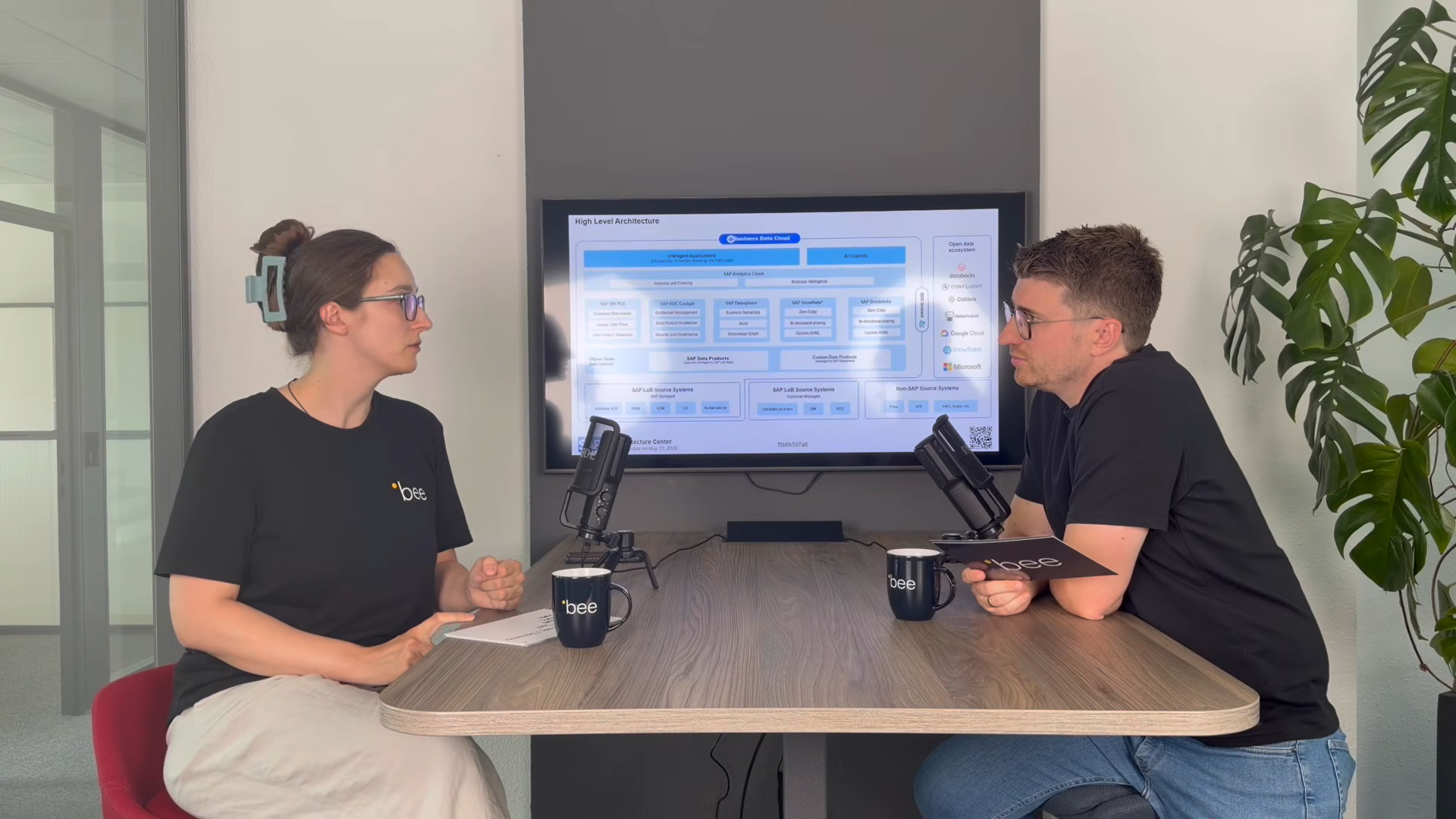
SAP Business Data Cloud
SAP Business Data Cloud: Plattform statt weiteres Tool
08.10.2026
|
SAP Cloud ERP

SAP Release-Upgrade bei Dallmayr
25.09.2026
|
Kundenreferenzen

Innovabee ist offizieller SAP-Concur-Implementierungspartner
16.09.2026
|
Innovabee