Die Manufacturing-Highlights
im SAP Cloud ERP Release 2602


Kevin Le
Junior Consultant
<style>
/* Webflow Blog Styles */
:root {
--content-max-width: 1500px;
--bg-color: #ffffff;
--font-sans: Inter, sans-serif;
--font-display: 'Mona Sans', sans-serif;
--font-sans-stretch: normal;
--font-display-stretch: normal;
}
.blog-content {
font-family: var(--font-sans);
font-stretch: var(--font-sans-stretch);
color: #000000;
line-height: 1.2;
}
figcaption, .video-caption {
font-family: 'Mona Sans', sans-serif;
font-stretch: normal;
font-size: 0.875rem;
font-weight: 500;
font-style: normal;
color: #000000;
line-height: 1.5;
letter-spacing: 0;
margin: 0.5rem 0 0 0;
text-align: center;
}
/* Image Widths and Galleries */
.offset-block {
padding-left: 50px;
}
.blog-content h1, .blog-content h2, .blog-content h3, .blog-content h4, .blog-content h5, .blog-content h6 {
font-family: var(--font-display);
font-stretch: var(--font-display-stretch);
}
.blog-content p a, .blog-content li a, .blog-content .text-link {
color: #f0567f;
text-decoration: underline;
font-weight: 500;
transition: color 0.2s ease;
}
.blog-content p a:hover, .blog-content li a:hover, .blog-content .text-link:hover {
color: #f0567f;
}
.blog-content h1 {
font-family: 'Mona Sans Expanded', sans-serif;
font-stretch: 125%;
font-size: 48px;
line-height: 1.2;
margin: 0 0 1rem 0;
color: #000000;
font-weight: 700;
letter-spacing: 0;
}
.blog-content h2 {
font-family: 'Mona Sans Expanded', sans-serif;
font-stretch: 125%;
font-size: 36px;
line-height: 1.2;
margin: 0 0 0.75rem 0;
color: #000000;
font-weight: 500;
letter-spacing: 0;
}
.blog-content h3 {
font-family: 'Mona Sans', sans-serif;
font-stretch: normal;
font-size: 26px;
line-height: 1.2;
margin: 0 0 0.5rem 0;
color: #000000;
font-weight: 700;
letter-spacing: 0;
}
.blog-content h4 {
font-family: 'Mona Sans', sans-serif;
font-stretch: normal;
font-size: 23px;
line-height: 1.1;
margin: 0 0 0.75rem 0;
color: #000000;
font-weight: 700;
letter-spacing: 0;
}
.blog-content h5 {
font-family: 'Mona Sans', sans-serif;
font-stretch: normal;
font-size: 23px;
line-height: 1.1;
margin: 0 0 0.75rem 0;
color: #000000;
font-weight: 700;
letter-spacing: 0;
}
.blog-content h6 {
font-family: 'Mona Sans', sans-serif;
font-stretch: normal;
font-size: 20px;
line-height: 1.2;
margin: 0 0 0.75rem 0;
color: #000000;
font-weight: 700;
letter-spacing: 0;
}
.blog-content .kpi-text {
font-family: 'Mona Sans', sans-serif;
font-stretch: normal;
font-size: 2.125rem;
line-height: 1.2;
margin: 0 0 1rem 0;
color: #000000;
font-weight: 700;
text-align: center;
}
.blog-content p {
font-family: 'Mona Sans', sans-serif;
font-stretch: normal;
font-size: 20px;
margin: 0 0 1rem 0;
line-height: 1.2;
color: #000000;
font-weight: 500;
}
.blog-content .text-bodyBold {
font-family: 'Mona Sans', sans-serif;
font-stretch: normal;
font-size: 20px;
margin: 0 0 1rem 0;
line-height: 1.2;
color: #000000;
font-weight: 700;
}
.blog-content ul {
font-family: 'Mona Sans', sans-serif;
font-stretch: normal;
font-size: 20px;
margin: 0 0 1rem 0;
line-height: 1.2;
color: #000000;
font-weight: 500;
}
.blog-content p a, .blog-content li a, .blog-content h1 a, .blog-content h2 a, .blog-content h3 a, .blog-content h4 a {
color: #f0567f;
text-decoration: underline;
font-weight: 500;
transition: all 0.2s ease-in-out;
}
.blog-content p a:hover, .blog-content li a:hover, .blog-content h1 a:hover, .blog-content h2 a:hover, .blog-content h3 a:hover, .blog-content h4 a:hover {
color: #f0567f;
}
.blog-content blockquote {
font-family: 'Mona Sans', sans-serif;
font-stretch: normal;
font-size: 22px;
font-style: italic;
font-weight: 400;
border-left: 0px solid #0066cc;
background-color: #f2f5f8;
padding: 0px;
margin: 1.5rem 0;
color: #000000;
}
.blog-content q {
font-family: 'Mona Sans', sans-serif;
font-stretch: normal;
font-size: 20px;
font-style: italic;
font-weight: 400;
border-left: 0px solid #94a3b8;
background-color: #f2f5f8;
padding: 0px;
quotes: "«" "»" "‹" "›";
color: #000000;
}
.custom-container {
max-width: var(--content-max-width);
margin: 0 auto;
padding: 60px 60px 70px 70px;
}
.custom-button:hover {
background-color: #fdc300 !important;
color: #000000 !important;
transform: scale(1.03) !important;
}
.faq-item {
border: 1px solid #e0e0e0;
border-radius: 8px;
padding: 15px;
margin-bottom: 1rem;
}
.faq-question {
font-weight: bold;
color: #1a1a1a;
margin-bottom: 0.5rem;
}
.faq-answer {
color: #333333;
}
.box-style-standard {
background-color: #ffffff;
border: 1px solid #e5e7eb;
border-radius: 8px;
padding: 20px;
color: #333333;
margin: 1.5rem 0;
}
.box-style-info {
background-color: #eff6ff;
border: 1px solid #3b82f6;
border-radius: 8px;
padding: 20px;
color: #1e40af;
margin: 1.5rem 0;
}
.box-style-warning {
background-color: #fffbeb;
border: 1px solid #f59e0b;
border-radius: 8px;
padding: 20px;
color: #92400e;
margin: 1.5rem 0;
}
@media (max-width: 991px) {
.offset-block { padding-left: 20px; }
.blog-content h1 { font-size: 44px; }
.blog-content h2 { font-size: 34px; }
.blog-content h3 { font-size: 24px; }
.blog-content h4 { font-size: 22px; }
.blog-content h5 { font-size: 22px; }
.blog-content h6 { font-size: 19px; }
.blog-content p { font-size: 18px; }
.blog-content .text-bodyBold { font-size: 18px; }
.blog-content ul { font-size: 19px; }
.blog-content .kpi-text { font-size: 1.8rem; }
.blog-content blockquote { font-size: 21px; }
.blog-content q { font-size: 19px; }
figcaption, .video-caption { font-size: 0.875rem; }
.custom-container { padding: 40px 40px 40px 40px; }
}
@media (max-width: 767px) {
.offset-block { padding-left: 15px; }
.blog-content h1 { font-size: 38px; }
.blog-content h2 { font-size: 28px; }
.blog-content h3 { font-size: 22px; }
.blog-content h4 { font-size: 21px; }
.blog-content h5 { font-size: 21px; }
.blog-content h6 { font-size: 18px; }
.blog-content p { font-size: 16px; }
.blog-content .text-bodyBold { font-size: 16px; }
.blog-content ul { font-size: 18px; }
.blog-content .kpi-text { font-size: 1.5rem; }
.blog-content blockquote { font-size: 20px; }
.blog-content q { font-size: 18px; }
figcaption, .video-caption { font-size: 0.875rem; }
.custom-container { padding: 15px 15px 15px 15px; }
}
/* Blog Lightbox */
.blog-lightbox-trigger { text-decoration: none !important; }
.blog-lightbox-trigger img { transition: opacity 0.2s ease; }
.blog-lightbox-trigger:hover img { opacity: 0.85; }
.blog-lightbox-overlay {
position: fixed; top: 0; left: 0; width: 100%; height: 100%;
background: rgba(0,0,0,0.85); z-index: 99999; display: flex;
align-items: center; justify-content: center; cursor: zoom-out;
animation: blogLbFadeIn 0.2s ease;
}
.blog-lightbox-overlay img {
max-width: 90vw; max-height: 90vh; border-radius: 8px;
box-shadow: 0 20px 60px rgba(0,0,0,0.5); object-fit: contain;
}
@keyframes blogLbFadeIn { from { opacity: 0; } to { opacity: 1; } }
</style>
<div class="blog-content">
<section style="background-color: #f2f5f8; width: 100%; margin-top: 0px; margin-bottom: 20px;">
<div class="custom-container" style="background-color: transparent;">
<div class="offset-block">
<p style="text-align: left;">Highlights für die Manufacturing-Branche finden sich im 2602-Release viele – eines davon ist eine neue Funktionalität in der App „Arbeitspläne verwalten“. Hiermit können Anwender:innen bestehende Arbeitspläne schnell und einfach kopieren, was den Prozess deutlich vereinfacht, Zeit spart und die Arbeit für <strong>Produktionsingenieure, Produktionsplaner und Stammdatenspezialisten einfacher gestaltet.</strong>¹</p>
<p style="text-align: left;">KI-Unterstützung ist ebenfalls verfügbar, und zwar ganz konkret anhand automatisch generierter Vorschläge für neue Arbeitspläne: Basierend auf Material, Werk und einer alternativen Stückliste ermittelt die KI weitere mögliche Arbeitspläne und kann den Mitarbeitenden so viel Zeit und manuellen Zusatzaufwand sparen.</p>
<p style="text-align: left;">¹ Als Voraussetzung müssen Anwender das zugehörige ISLM-Szenario aktivieren</p>
</div>
<figure style="text-align: center; margin: 1.5rem 0;"><a href="https://cdn.prod.website-files.com/68ffbb1d2a6455e8202f8d3e/69ccb70057243499b110698f_2602_Manufacturing_Copy.jpeg" class="blog-lightbox-trigger" onclick="event.preventDefault();var o=document.createElement('div');o.className='blog-lightbox-overlay';o.innerHTML='<img src="https://cdn.prod.website-files.com/68ffbb1d2a6455e8202f8d3e/69ccb70057243499b110698f_2602_Manufacturing_Copy.jpeg" alt="">';o.onclick=function(){this.remove()};document.body.appendChild(o)" style="display: block; cursor: zoom-in;"><img src="https://cdn.prod.website-files.com/68ffbb1d2a6455e8202f8d3e/69ccb70057243499b110698f_2602_Manufacturing_Copy.jpeg" alt="Smarte Unterstützung für die Fertigung bietet das Manufacturing-Release 2602. (Quelle: SAP SE)" class="blog-img-f4ef671c-8563-41b2-b35c-7aba86dfcacc" style="max-width: 100%; width: 100%; height: auto; border-radius: 8px; display: block; margin: 0 auto;"></a><figcaption>Smarte Unterstützung für die Fertigung bietet das Manufacturing-Release 2602. (Quelle: SAP SE)</figcaption></figure>
<div class="offset-block">
<p class="text-bodyBold" style="text-align: left;">Auf einen Blick: Was ist neu? (Auszug)</p>
<ul style="padding-left: 1.5rem; list-style-type: disc;">
<li style="margin-bottom: 0.5rem;">Joule-Integration in der App „Fertigungsaufträge Bearbeiten“: Via Button lässt sich direkt in der App ein Chat mit Joule öffnen. Dazu ein Beispiel: Joule soll alle Fertigungsaufträge freigeben. Dafür überprüft der KI-Assistent in Schritt eins, ob alle notwendigen Voraussetzungen erfüllt wurden, zum Beispiel ob ausreichend Material verfügbar ist. Falls nicht, werden automatisch alternative Komponenten angeboten, die sofern vorhanden, ebenfalls genutzt werden können.</li>
<li style="margin-bottom: 0.5rem;">Kombinierte Aufträge in der App „Produktionsaufträge verwalten“: Damit lassen sich identische Arbeitsgänge aus verschiedenen Fertigungsaufträgen in einem konsolidierten Fertigungsauftrag zusammenzufassen. Das kann den Durchsatz innerhalb der Produktion steigern und die Produktionskosten dank minimierter Rüstzeiten und Gemeinkosten reduzieren.</li>
</ul>
</div>
<figure style="text-align: center; margin: 1.5rem 0;"><a href="https://cdn.prod.website-files.com/68ffbb1d2a6455e8202f8d3e/69ccb7013e9903ec239f7708_2602_Manufacturing_Kombination.jpeg" class="blog-lightbox-trigger" onclick="event.preventDefault();var o=document.createElement('div');o.className='blog-lightbox-overlay';o.innerHTML='<img src="https://cdn.prod.website-files.com/68ffbb1d2a6455e8202f8d3e/69ccb7013e9903ec239f7708_2602_Manufacturing_Kombination.jpeg" alt="">';o.onclick=function(){this.remove()};document.body.appendChild(o)" style="display: block; cursor: zoom-in;"><img src="https://cdn.prod.website-files.com/68ffbb1d2a6455e8202f8d3e/69ccb7013e9903ec239f7708_2602_Manufacturing_Kombination.jpeg" alt="Aus vielen ähnlichen Prozessen einen Auftrag machen: Das spart Zeit und erhöht den Durchsatz. (Quelle: SAP SE)" class="blog-img-85b23471-1b4e-446b-a737-3df85009dda3" style="max-width: 100%; width: 100%; height: auto; border-radius: 8px; display: block; margin: 0 auto;"></a><figcaption>Aus vielen ähnlichen Prozessen einen Auftrag machen: Das spart Zeit und erhöht den Durchsatz. (Quelle: SAP SE)</figcaption></figure>
<div class="offset-block">
<ul style="padding-left: 1.5rem; list-style-type: disc;">
<li style="margin-bottom: 0.5rem;">Verbesserte Auswahl von Bestellobjekten mit der App „Bestellfortschritt prüfen“: Abhängig vom ausgewählten Dokumenttyp stehen nun unterschiedliche Filterfelder als Pflichtfelder zur Verfügung, um sicherzustellen, dass die angegebene Auftragsnummer dem Dokumenttyp entspricht. Das vereinfacht die Auftragsauswahl für eine höhere Benutzerproduktivität und erleichtert die Navigation von anderen SAP-Fiori-Apps zur App „Auftragsfortschritt prüfen“</li>
</ul>
</div>
</div>
</section>
<section style="background-color: #f2f5f8; width: 100%; margin-top: 0px; margin-bottom: 20px;">
<div class="custom-container" style="background-color: transparent;">
<div class="offset-block">
<h2 style="text-align: left;">Mehrwert für den Mittelstand: erste Berührungspunkte mit KI</h2>
<p style="text-align: left;">2026 ist das Jahr, in welchem viele mittelständische Unternehmen erste praktische Erfahrungen mit AI sammeln können – wie hier im neuen Manufacturing-Release. Joule innerhalb der Produktionsplanung (PP)-App kann neue Wege aufzeigen, um Prozesse optimaler und zukunftssicherer aufzustellen und den manuellen Aufwand durch eine automatisierte Prüfung von Material‑, Kapazitäts- und Terminverfügbarkeit zu reduzieren. Das stellt einen reibungslosen Produktionsablauf sicher, denn bei Material- und Terminkonflikten werden automatisch Lösungen vorgeschlagen. Produktionsplaner und ‑leiter werden so bei der Freigabe von bis zu 20 Produktionsaufträgen gleichzeitig unterstützt. Der smarte Agent schlägt außerdem eine Umplanung vor, wenn die Voraussetzungen für die Freigabe nicht erfüllt sind. Sind alle Kriterien erfüllt, kann der Planer die vorgeschlagenen Auftragsänderungen bestätigen und der Agent gibt den Produktionsauftrag frei.</p>
</div>
<figure style="text-align: center; margin: 1.5rem 0;"><a href="https://cdn.prod.website-files.com/68ffbb1d2a6455e8202f8d3e/69ccb7053e342371baae6ae4_2602_Manufacturing_KI_PP.jpeg" class="blog-lightbox-trigger" onclick="event.preventDefault();var o=document.createElement('div');o.className='blog-lightbox-overlay';o.innerHTML='<img src="https://cdn.prod.website-files.com/68ffbb1d2a6455e8202f8d3e/69ccb7053e342371baae6ae4_2602_Manufacturing_KI_PP.jpeg" alt="">';o.onclick=function(){this.remove()};document.body.appendChild(o)" style="display: block; cursor: zoom-in;"><img src="https://cdn.prod.website-files.com/68ffbb1d2a6455e8202f8d3e/69ccb7053e342371baae6ae4_2602_Manufacturing_KI_PP.jpeg" alt="Die KI, dein Freund und Produktionshelfer: Neue AI-Funktionalitäten können Manufacturing-Anwender:innen praktisch im Alltag unterstützen. (Quelle: SAP SE)" class="blog-img-8a73863b-48df-4068-87b6-78f99b83605e" style="max-width: 100%; width: 100%; height: auto; border-radius: 8px; display: block; margin: 0 auto;"></a><figcaption>Die KI, dein Freund und Produktionshelfer: Neue AI-Funktionalitäten können Manufacturing-Anwender:innen praktisch im Alltag unterstützen. (Quelle: SAP SE)</figcaption></figure>
<div class="offset-block">
<p style="text-align: left;">Lesen Sie hier mehr zu den weiteren Highlights des SAP Cloud ERP Release 2602:</p>
<ul style="padding-left: 1.5rem; list-style-type: disc;">
<li style="margin-bottom: 0.5rem;"><a href="https://innovabee.de/die-product-compliance-highlights-im-sap-cloud-erp-release-2602-fuer-mehr-kontrolle-genauigkeit-und-effizienz-bei-globalen-compliance-prozessen/">Product Compliance</a></li>
<li style="margin-bottom: 0.5rem;"><a href="https://innovabee.de/die-highlights-des-sap-finance-moduls-im-sap-cloud-erp-release-2602-finanz-teams-koennen-schneller-arbeiten-ihren-manuellen-aufwand-reduzieren-und-von-einem-verbesserten-cashflow-ueberblick-profitie/">Finance</a></li>
<li style="margin-bottom: 0.5rem;"><a href="https://innovabee.de/die-highlights-von-sap-activate-im-sap-cloud-erp-release-2602-fuer-noch-mehr-ki-gestuetzte-innovationen-verbesserte-automatisierung-und-eine-effizientere-projektdurchfuehrung/">SAP Activate</a></li>
<li style="margin-bottom: 0.5rem;"><a href="https://innovabee.de/die-embedded-ai-und-joule-highlights-im-sap-cloud-erp-release-2602-ein-mensch-ki-duett-kein-duell/">Embedded AI & Joule</a></li>
</ul>
</div>
</div>
</section>
</div>
Sie wollen keine News mehr verpassen? Dann abonnieren Sie unseren Newsletter:
Weitere Beiträge
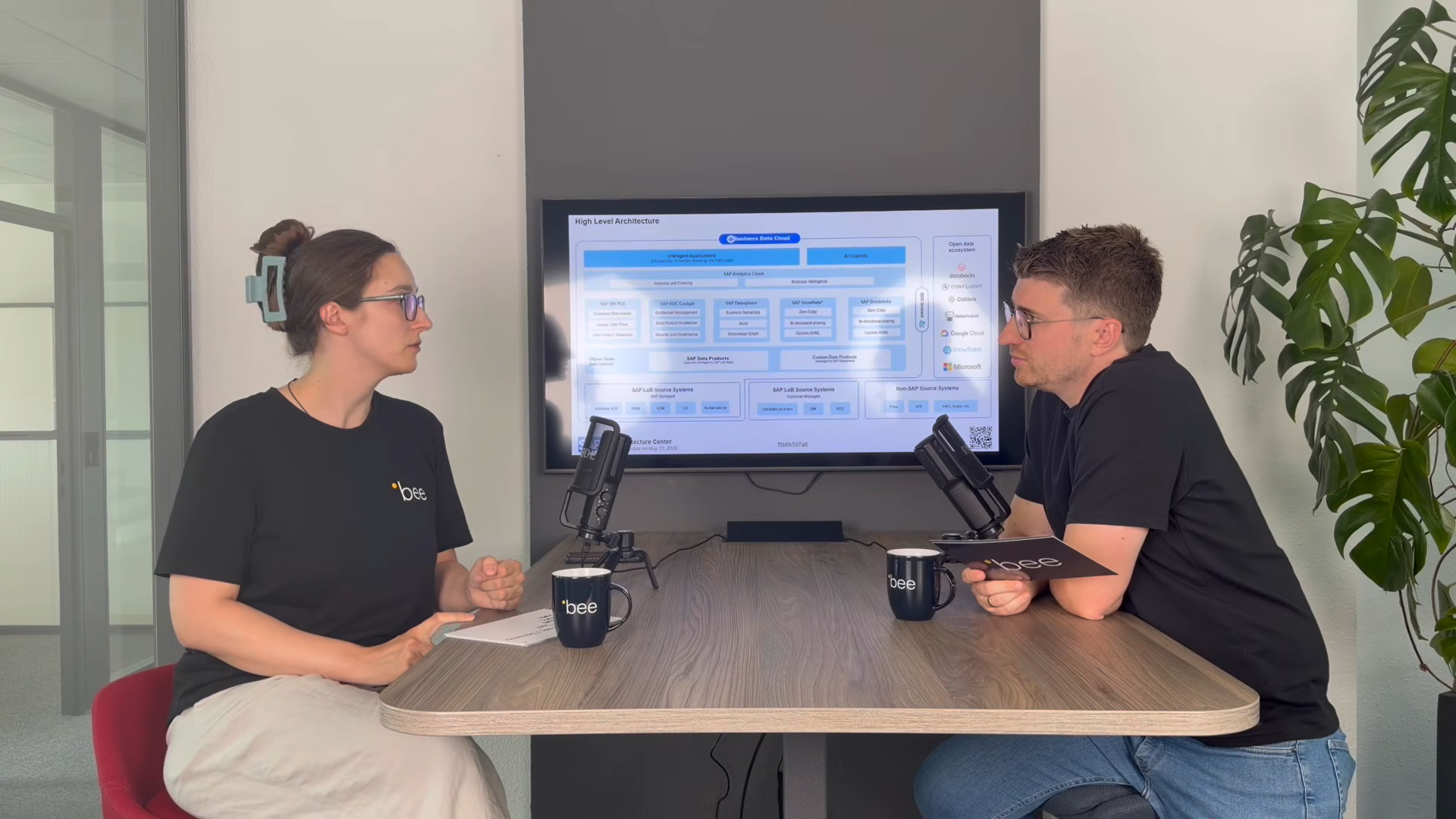
SAP Business Data Cloud
SAP Business Data Cloud: Plattform statt weiteres Tool
08.10.2026
|
SAP Cloud ERP

SAP Release-Upgrade bei Dallmayr
25.09.2026
|
Kundenreferenzen

Innovabee ist offizieller SAP-Concur-Implementierungspartner
16.09.2026
|
Innovabee