Die besten Apps aus 5 Jahren SAP S/4HANA
Vertrieb


Johannes Beck
Consultant
<style>
/* Webflow Blog Styles */
:root {
--content-max-width: 1500px;
--bg-color: #ffffff;
--font-sans: Inter, sans-serif;
--font-display: 'Mona Sans', sans-serif;
--font-sans-stretch: normal;
--font-display-stretch: normal;
}
.blog-content {
font-family: var(--font-sans);
font-stretch: var(--font-sans-stretch);
color: #000000;
line-height: 1.2;
}
figcaption, .video-caption {
font-family: 'Mona Sans', sans-serif;
font-stretch: normal;
font-size: 0.875rem;
font-weight: 500;
font-style: normal;
color: #000000;
line-height: 1.5;
letter-spacing: 0;
margin: 0.5rem 0 0 0;
text-align: center;
}
/* Image Widths and Galleries */
.offset-block {
padding-left: 50px;
}
.blog-content h1, .blog-content h2, .blog-content h3, .blog-content h4, .blog-content h5, .blog-content h6 {
font-family: var(--font-display);
font-stretch: var(--font-display-stretch);
}
.blog-content p a, .blog-content li a, .blog-content .text-link {
color: #f0567f;
text-decoration: underline;
font-weight: 500;
transition: color 0.2s ease;
}
.blog-content p a:hover, .blog-content li a:hover, .blog-content .text-link:hover {
color: #f0567f;
}
.blog-content h1 {
font-family: 'Mona Sans Expanded', sans-serif;
font-stretch: 125%;
font-size: 48px;
line-height: 1.2;
margin: 0 0 1rem 0;
color: #000000;
font-weight: 700;
letter-spacing: 0;
}
.blog-content h2 {
font-family: 'Mona Sans Expanded', sans-serif;
font-stretch: 125%;
font-size: 36px;
line-height: 1.2;
margin: 0 0 0.75rem 0;
color: #000000;
font-weight: 500;
letter-spacing: 0;
}
.blog-content h3 {
font-family: 'Mona Sans', sans-serif;
font-stretch: normal;
font-size: 26px;
line-height: 1.2;
margin: 0 0 0.5rem 0;
color: #000000;
font-weight: 700;
letter-spacing: 0;
}
.blog-content h4 {
font-family: 'Mona Sans', sans-serif;
font-stretch: normal;
font-size: 23px;
line-height: 1.1;
margin: 0 0 0.75rem 0;
color: #000000;
font-weight: 700;
letter-spacing: 0;
}
.blog-content h5 {
font-family: 'Mona Sans', sans-serif;
font-stretch: normal;
font-size: 23px;
line-height: 1.1;
margin: 0 0 0.75rem 0;
color: #000000;
font-weight: 700;
letter-spacing: 0;
}
.blog-content h6 {
font-family: 'Mona Sans', sans-serif;
font-stretch: normal;
font-size: 20px;
line-height: 1.2;
margin: 0 0 0.75rem 0;
color: #000000;
font-weight: 700;
letter-spacing: 0;
}
.blog-content .kpi-text {
font-family: 'Mona Sans', sans-serif;
font-stretch: normal;
font-size: 2.125rem;
line-height: 1.2;
margin: 0 0 1rem 0;
color: #000000;
font-weight: 700;
text-align: center;
}
.blog-content p {
font-family: 'Mona Sans', sans-serif;
font-stretch: normal;
font-size: 20px;
margin: 0 0 1rem 0;
line-height: 1.2;
color: #000000;
font-weight: 500;
}
.blog-content .text-bodyBold {
font-family: 'Mona Sans', sans-serif;
font-stretch: normal;
font-size: 20px;
margin: 0 0 1rem 0;
line-height: 1.2;
color: #000000;
font-weight: 700;
}
.blog-content ul {
font-family: 'Mona Sans', sans-serif;
font-stretch: normal;
font-size: 20px;
margin: 0 0 1rem 0;
line-height: 1.2;
color: #000000;
font-weight: 500;
}
.blog-content p a, .blog-content li a, .blog-content h1 a, .blog-content h2 a, .blog-content h3 a, .blog-content h4 a {
color: #f0567f;
text-decoration: underline;
font-weight: 500;
transition: all 0.2s ease-in-out;
}
.blog-content p a:hover, .blog-content li a:hover, .blog-content h1 a:hover, .blog-content h2 a:hover, .blog-content h3 a:hover, .blog-content h4 a:hover {
color: #f0567f;
}
.blog-content blockquote {
font-family: 'Mona Sans', sans-serif;
font-stretch: normal;
font-size: 22px;
font-style: italic;
font-weight: 400;
border-left: 0px solid #0066cc;
background-color: #f2f5f8;
padding: 0px;
margin: 1.5rem 0;
color: #000000;
}
.blog-content q {
font-family: 'Mona Sans', sans-serif;
font-stretch: normal;
font-size: 20px;
font-style: italic;
font-weight: 400;
border-left: 0px solid #94a3b8;
background-color: #f2f5f8;
padding: 0px;
quotes: "«" "»" "‹" "›";
color: #000000;
}
.custom-container {
max-width: var(--content-max-width);
margin: 0 auto;
padding: 60px 60px 70px 70px;
}
.custom-button:hover {
background-color: #fdc300 !important;
color: #000000 !important;
transform: scale(1.03) !important;
}
.faq-item {
border: 1px solid #e0e0e0;
border-radius: 8px;
padding: 15px;
margin-bottom: 1rem;
}
.faq-question {
font-weight: bold;
color: #1a1a1a;
margin-bottom: 0.5rem;
}
.faq-answer {
color: #333333;
}
.box-style-standard {
background-color: #ffffff;
border: 1px solid #e5e7eb;
border-radius: 8px;
padding: 20px;
color: #333333;
margin: 1.5rem 0;
}
.box-style-info {
background-color: #eff6ff;
border: 1px solid #3b82f6;
border-radius: 8px;
padding: 20px;
color: #1e40af;
margin: 1.5rem 0;
}
.box-style-warning {
background-color: #fffbeb;
border: 1px solid #f59e0b;
border-radius: 8px;
padding: 20px;
color: #92400e;
margin: 1.5rem 0;
}
@media (max-width: 991px) {
.offset-block { padding-left: 20px; }
.blog-content h1 { font-size: 44px; }
.blog-content h2 { font-size: 34px; }
.blog-content h3 { font-size: 24px; }
.blog-content h4 { font-size: 22px; }
.blog-content h5 { font-size: 22px; }
.blog-content h6 { font-size: 19px; }
.blog-content p { font-size: 18px; }
.blog-content .text-bodyBold { font-size: 18px; }
.blog-content ul { font-size: 19px; }
.blog-content .kpi-text { font-size: 1.8rem; }
.blog-content blockquote { font-size: 21px; }
.blog-content q { font-size: 19px; }
figcaption, .video-caption { font-size: 0.875rem; }
.custom-container { padding: 40px 40px 40px 40px; }
}
@media (max-width: 767px) {
.offset-block { padding-left: 15px; }
.blog-content h1 { font-size: 38px; }
.blog-content h2 { font-size: 28px; }
.blog-content h3 { font-size: 22px; }
.blog-content h4 { font-size: 21px; }
.blog-content h5 { font-size: 21px; }
.blog-content h6 { font-size: 18px; }
.blog-content p { font-size: 16px; }
.blog-content .text-bodyBold { font-size: 16px; }
.blog-content ul { font-size: 18px; }
.blog-content .kpi-text { font-size: 1.5rem; }
.blog-content blockquote { font-size: 20px; }
.blog-content q { font-size: 18px; }
figcaption, .video-caption { font-size: 0.875rem; }
.custom-container { padding: 15px 15px 15px 15px; }
}
/* Blog Lightbox */
.blog-lightbox-trigger { text-decoration: none !important; }
.blog-lightbox-trigger img { transition: opacity 0.2s ease; }
.blog-lightbox-trigger:hover img { opacity: 0.85; }
.blog-lightbox-overlay {
position: fixed; top: 0; left: 0; width: 100%; height: 100%;
background: rgba(0,0,0,0.85); z-index: 99999; display: flex;
align-items: center; justify-content: center; cursor: zoom-out;
animation: blogLbFadeIn 0.2s ease;
}
.blog-lightbox-overlay img {
max-width: 90vw; max-height: 90vh; border-radius: 8px;
box-shadow: 0 20px 60px rgba(0,0,0,0.5); object-fit: contain;
}
@keyframes blogLbFadeIn { from { opacity: 0; } to { opacity: 1; } }
</style>
<div class="blog-content">
<section style="background-color: #f2f5f8; width: 100%; margin-top: 0px; margin-bottom: 20px;">
<div class="custom-container" style="background-color: transparent;">
<div class="offset-block">
<p style="text-align: left;">Als integriertes ERP-System wird SAP S/4HANA ständig weiterentwickelt. Mit jedem Release enthält die Software neue, innovative Funktionen. Unter den vielen Neuerungen sind einige wesentlicher als andere – sei es, weil sie zu deutlichen Verbesserungen in den Anwenderunternehmen führen oder weil sie vormals separat gesteuerte Prozesse ganz neu in das ERP-System integrieren.</p>
</div>
</div>
</section>
<section style="background-color: #f2f5f8; width: 100%; margin-top: 0px; margin-bottom: 20px;">
<div class="custom-container" style="background-color: transparent;">
<div class="offset-block">
<h2 style="text-align: left;">Das Fazit aus vier Jahren intensiver Arbeit mit SAP S/4HANA</h2>
<p style="text-align: left;">Innovabee hat vor vier Jahren als einer der ersten Partner SAP S/4HANA bei einem Kunden aus der Lebensmittelbranche erfolgreich eingeführt. Inzwischen können wir auf 24 erfolgreiche SAP S/4HANA-Projekte und 7 Conversions (Migration von SAP ERP auf SAP S/4HANA) zurückblicken. In diesen Projekten haben unsere Berater täglich intensiv mit SAP S/4HANA gearbeitet. Sie kennen die Lösung also in allen Details. Aus den vielen innovativen Funktionen haben sie ihre persönlichen Highlights ausgewählt und stellen sie hier vor.</p>
</div>
</div>
</section>
<section style="background-color: #f2f5f8; width: 100%; margin-top: 0px; margin-bottom: 20px;">
<div class="custom-container" style="background-color: transparent;">
<div class="offset-block">
<h2 style="text-align: left;">Vertrieb: Fiori-Notifications bei Lieferverzug</h2>
<p style="text-align: left;">Mit dieser Funktion werden Sie proaktiv und frühzeitig über Kundenaufträge informiert, bei denen sich der Liefertermin voraussichtlich verzögert, z.B. aufgrund einer geänderten Produktionsplanung. Zusätzlich werden Sie über Aufträge informiert, bei denen die Lieferung zu einem früheren Zeitpunkt stattfinden kann.</p>
</div>
<figure style="text-align: center; margin: 1.5rem 0;"><a href="https://cdn.prod.website-files.com/68ffbb1d2a6455e8202f8d3e/69dc37c01da9176bbcda9005_Blog_Screen_Sales_Fiori-Notifications_Highlights-S4HANA.png" class="blog-lightbox-trigger" onclick="event.preventDefault();var o=document.createElement('div');o.className='blog-lightbox-overlay';o.innerHTML='<img src="https://cdn.prod.website-files.com/68ffbb1d2a6455e8202f8d3e/69dc37c01da9176bbcda9005_Blog_Screen_Sales_Fiori-Notifications_Highlights-S4HANA.png" alt="">';o.onclick=function(){this.remove()};document.body.appendChild(o)" style="display: block; cursor: zoom-in;"><img src="https://cdn.prod.website-files.com/68ffbb1d2a6455e8202f8d3e/69dc37c01da9176bbcda9005_Blog_Screen_Sales_Fiori-Notifications_Highlights-S4HANA.png" alt="Blog_Screen_Sales_Fiori Notifications_Highlights S4HANA" class="blog-img-a3c83244-65d1-4a7b-b702-b3c2c77a72c5" style="max-width: 100%; width: 100%; height: auto; border-radius: 8px; display: block; margin: 0 auto;"></a><figcaption>Blog_Screen_Sales_Fiori Notifications_Highlights S4HANA</figcaption></figure>
</div>
</section>
<section style="background-color: #f2f5f8; width: 100%; margin-top: 0px; margin-bottom: 20px;">
<div class="custom-container" style="background-color: transparent;">
<div class="offset-block">
<h2 style="text-align: left;">Vertrieb: 360-Grad-Blick auf alle Kundeninformationen</h2>
<p style="text-align: left;">SAP S/4HANA erlaubt es, alle relevanten Daten zu einem Kunden auf einen Blick verfügbar zu haben. Dazu gehören Angebote, Rechnungen, Problemfälle und andere relevante Vorgänge, die dem Kunden zugeordnet sind. Bisher musste man hierfür über alte SAP-Transaktionen ohne Visualisierung gehen.</p>
</div>
<figure style="text-align: center; margin: 1.5rem 0;"><a href="https://cdn.prod.website-files.com/68ffbb1d2a6455e8202f8d3e/69dc37c11da9176bbcda910d_Blog_Screen_Sales_360-Grad_Highlights-S4HANA.png" class="blog-lightbox-trigger" onclick="event.preventDefault();var o=document.createElement('div');o.className='blog-lightbox-overlay';o.innerHTML='<img src="https://cdn.prod.website-files.com/68ffbb1d2a6455e8202f8d3e/69dc37c11da9176bbcda910d_Blog_Screen_Sales_360-Grad_Highlights-S4HANA.png" alt="">';o.onclick=function(){this.remove()};document.body.appendChild(o)" style="display: block; cursor: zoom-in;"><img src="https://cdn.prod.website-files.com/68ffbb1d2a6455e8202f8d3e/69dc37c11da9176bbcda910d_Blog_Screen_Sales_360-Grad_Highlights-S4HANA.png" alt="Blog_Screen_Sales_360 Grad_Highlights S4HANA" class="blog-img-a585c327-c5ea-4ae1-b68f-eba2aef51308" style="max-width: 100%; width: 100%; height: auto; border-radius: 8px; display: block; margin: 0 auto;"></a><figcaption>Blog_Screen_Sales_360 Grad_Highlights S4HANA</figcaption></figure>
</div>
</section>
<section style="background-color: #f2f5f8; width: 100%; margin-top: 0px; margin-bottom: 20px;">
<div class="custom-container" style="background-color: transparent;">
<div class="offset-block">
<h2 style="text-align: left;">Vertrieb: Materialdeckung ermitteln</h2>
<p style="text-align: left;">Mit SAP S/4HANA können Sie alle Materialien vom System ermitteln und sich in einer Übersicht darstellen lassen. Das System listet die Materialien mit einem Nettobedarfsabschnitt oder Einzelabschnitten auf, die nicht ausreichend gedeckt sind. Auf diese Weise können Sie rechtzeitig auf kritische Situationen reagieren und Verzögerungen in der Produktion vermeiden sowie Ihre Kundenbedarfe jederzeit erfüllen.</p>
</div>
<figure style="text-align: center; margin: 1.5rem 0;"><a href="https://cdn.prod.website-files.com/68ffbb1d2a6455e8202f8d3e/69dc37c33027a42e3a47bdab_Blog_Screen_Sales_Materialabdeckung_Highlights-S4HANA.png" class="blog-lightbox-trigger" onclick="event.preventDefault();var o=document.createElement('div');o.className='blog-lightbox-overlay';o.innerHTML='<img src="https://cdn.prod.website-files.com/68ffbb1d2a6455e8202f8d3e/69dc37c33027a42e3a47bdab_Blog_Screen_Sales_Materialabdeckung_Highlights-S4HANA.png" alt="">';o.onclick=function(){this.remove()};document.body.appendChild(o)" style="display: block; cursor: zoom-in;"><img src="https://cdn.prod.website-files.com/68ffbb1d2a6455e8202f8d3e/69dc37c33027a42e3a47bdab_Blog_Screen_Sales_Materialabdeckung_Highlights-S4HANA.png" alt="Blog_Screen_Sales_Materialabdeckung_Highlights S4HANA" class="blog-img-e004df12-9963-4fd7-b8a2-8bad96f57555" style="max-width: 100%; width: 100%; height: auto; border-radius: 8px; display: block; margin: 0 auto;"></a><figcaption>Blog_Screen_Sales_Materialabdeckung_Highlights S4HANA</figcaption></figure>
</div>
</section>
<section style="background-color: #f2f5f8; width: 100%; margin-top: 0px; margin-bottom: 20px;">
<div class="custom-container" style="background-color: transparent;">
<div class="offset-block">
<h2 style="text-align: left;">Vertrieb: Meine Verkaufsübersicht</h2>
<p style="text-align: left;">In SAP S/4HANA lassen sich Verkaufsdaten auf aussagefähigen Karten anzeigen und anlegen, die im Dashboard-Format als Gruppe einzelner Einstiegsbilder zusammengefasst sind. Zu den Informationen, die angezeigt werden, zählen: offene Verkaufsangebote und Kundenaufträge, gesperrte Gutschriftsanforderungen, Kundenretouren und Kundeninformationen. Vertriebsmitarbeiter verfügen so über alle relevanten Daten. Die Informationen lassen sich zudem visualisieren und Anwender haben verschiedene Möglichkeiten, die Auswertung zu betrachten.</p>
</div>
<figure style="text-align: center; margin: 1.5rem 0;"><a href="https://cdn.prod.website-files.com/68ffbb1d2a6455e8202f8d3e/69dc37c4593994fd81d86948_Blog_Screen_Sales_Verkaufsuebersicht_Highlights-S4HANA.png" class="blog-lightbox-trigger" onclick="event.preventDefault();var o=document.createElement('div');o.className='blog-lightbox-overlay';o.innerHTML='<img src="https://cdn.prod.website-files.com/68ffbb1d2a6455e8202f8d3e/69dc37c4593994fd81d86948_Blog_Screen_Sales_Verkaufsuebersicht_Highlights-S4HANA.png" alt="">';o.onclick=function(){this.remove()};document.body.appendChild(o)" style="display: block; cursor: zoom-in;"><img src="https://cdn.prod.website-files.com/68ffbb1d2a6455e8202f8d3e/69dc37c4593994fd81d86948_Blog_Screen_Sales_Verkaufsuebersicht_Highlights-S4HANA.png" alt="Blog_Screen_Sales_Verkaufsübersicht_Highlights S4HANA" class="blog-img-6e96603b-bbef-4269-b9ab-b32edf990cbf" style="max-width: 100%; width: 100%; height: auto; border-radius: 8px; display: block; margin: 0 auto;"></a><figcaption>Blog_Screen_Sales_Verkaufsübersicht_Highlights S4HANA</figcaption></figure>
</div>
</section>
<section style="background-color: #f2f5f8; width: 100%; margin-top: 0px; margin-bottom: 20px;">
<div class="custom-container" style="background-color: transparent;">
<div class="offset-block">
<h2 style="text-align: left;">Vertrieb: Liefertreue von Kundenaufträgen überwachen</h2>
<p style="text-align: left;">SAP S/4HANA unterstützt Vertriebsmitarbeiter dabei, die aktuelle Liefertreue von Kundenaufträgen zu überwachen, um den Überblick über die Kundenzufriedenheit und ‑bindung zu behalten. Die Lösung vergleicht dafür das Wunschlieferdatum des Kunden für Kundenauftragspositionen mit dem tatsächlichen Lieferdatum der entsprechenden Auslieferungen. Die Informationen werden ansprechend visualisiert und Anwender haben die Möglichkeiten, die Auswertungen zu betrachten.</p>
</div>
</div>
</section>
</div>
Sie wollen keine News mehr verpassen? Dann abonnieren Sie unseren Newsletter:
Weitere Beiträge
SAP Business Data Cloud
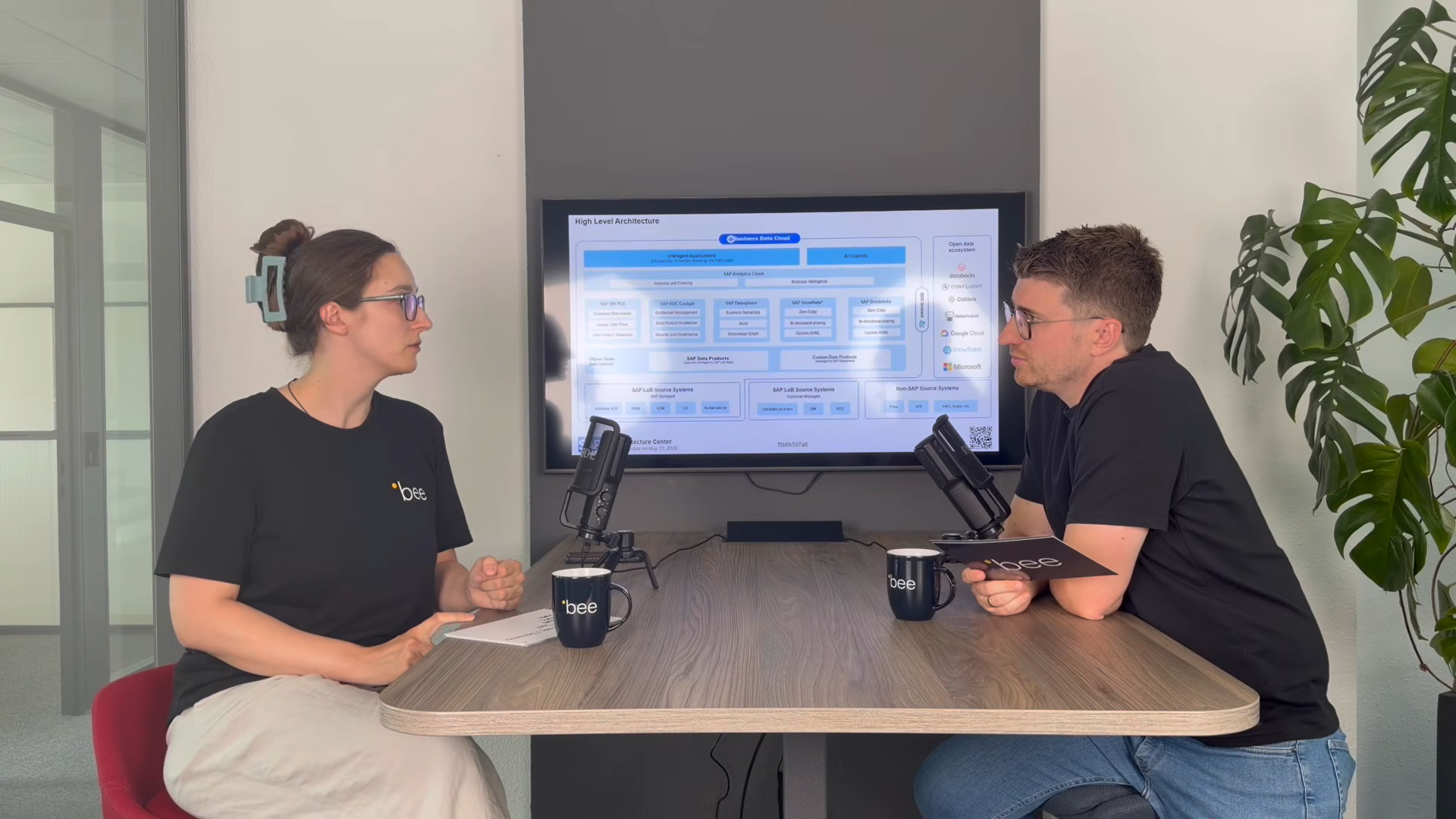
SAP Business Data Cloud: Plattform statt weiteres Tool
08.10.2026
|
SAP Cloud ERP

SAP Release-Upgrade bei Dallmayr
25.09.2026
|
Kundenreferenzen

Innovabee ist offizieller SAP-Concur-Implementierungspartner
16.09.2026
|
Innovabee